

You have spent weeks designing the perfect website. The layout is beautiful, the copy is sharp, and the navigation is highly intuitive. But when a visitor clicks on your link, the page takes five seconds to load. By the third second, that visitor has already clicked the back button and moved on to a competitor.
Website speed dictates user experience. Visitors expect immediate gratification, and search engines heavily penalize sluggish pages. While many site owners focus on optimizing images or minifying code, they often overlook the foundation of their entire digital presence: their web hosting.
The server environment you choose acts as the engine of your website. If you put a lawnmower engine in a sports car, it will never win a race. The same logic applies to your digital infrastructure. A beautifully coded site will still crawl if it relies on a subpar server environment.
Understanding how does web hosting affect website speed and performance is the first step toward building a faster, more resilient online presence. Let us explore the mechanics behind hosting, the specific factors that dictate loading times, and how to choose an infrastructure that sets your site up for success.
Does Web Hosting Affect Site Performance?
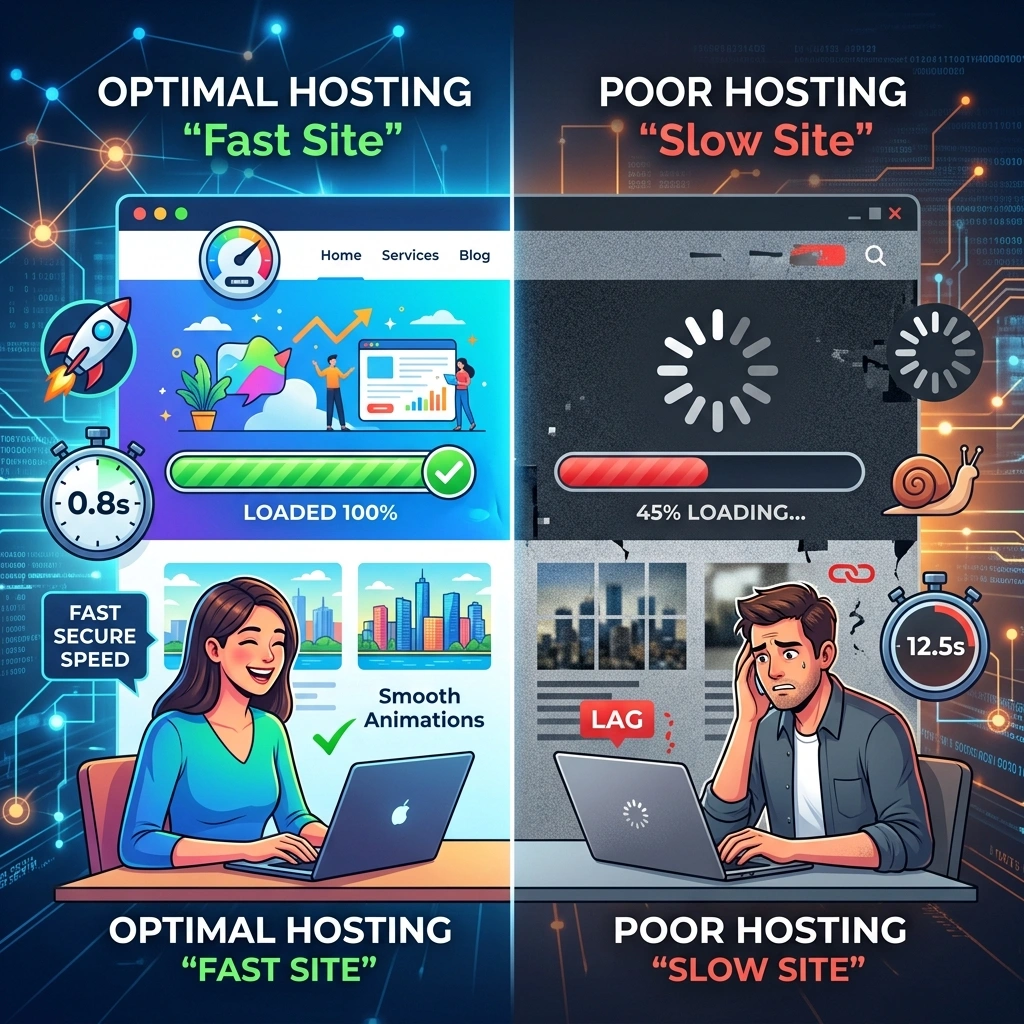
Yes, web hosting absolutely affects site performance. When a user types your URL into their browser, their computer sends a request to your web host’s server. The server must then process that request, gather the necessary files, and send them back to the user’s browser.
If your server takes a long time to process this request, your website will load slowly, regardless of how heavily optimized your site files are. This delay is known as Time to First Byte (TTFB). A high-quality hosting environment drastically reduces TTFB, allowing browsers to render your pages almost instantly.
The Impact of Web Hosting on Website Loading Speed
The impact of web hosting on website loading speed is profound because hosting touches every aspect of data transfer. When a host overloads a server with too many websites, the physical resources become scarce. Processing power, memory, and bandwidth all bottleneck.
A strong hosting provider ensures there is enough bandwidth for data to travel quickly from the server to the end user. Many developers also pair hosting with progressive web apps in 2025 the ultimate guide to improve perceived performance on the frontend. They also use advanced caching technologies at the server level, meaning the server remembers frequently requested files and delivers them without having to rebuild the page from scratch every single time a visitor clicks a link.
Key Factors in Hosting That Influence Site Speed

Not all servers are created equal. Several hardware and software configurations determine how efficiently a server can deliver your website to the public.
How Server Performance Affects Website Speed
The physical hardware of the server plays a massive role in performance. Modern development workflows often rely on scalable architecture, similar to principles found in micro frontends scalable web apps, where performance is distributed efficiently. Just like your personal computer, servers rely on central processing units (CPUs) and random access memory (RAM). Websites with complex databases or heavy traffic spikes require robust CPUs to process requests efficiently.
Additionally, the type of hard drive matters. Older hosting environments still use hard disk drives (HDDs), which rely on spinning physical disks to retrieve data. Modern, high-performance hosts use solid-state drives (SSDs) or NVMe drives, which access data electronically. SSDs can read and write data significantly faster than HDDs, leading to much shorter load times.
How Hosting Location Affects Website Loading Time
Physical distance creates latency. If your hosting server is located in New York, a visitor from New Jersey will receive data almost instantaneously. However, a visitor from Tokyo will experience a noticeable delay as the data travels thousands of miles across undersea cables.
Choosing a host with data centers near your primary audience is essential. Furthermore, premium hosts offer built-in Content Delivery Networks (CDNs). A CDN stores copies of your website on a network of servers around the world, ensuring that every user downloads your site from a location geographically close to them.
Shared Hosting vs VPS Performance Comparison
The type of hosting plan you purchase drastically alters your site’s speed capabilities. The two most common starting points are shared hosting and Virtual Private Servers (VPS).
Shared hosting places your website on a single server alongside hundreds, or sometimes thousands, of other websites. You all share the same CPU, RAM, and bandwidth. If another site on your server experiences a massive traffic spike, your website will slow down because the server’s resources are being drained. Shared hosting is cheap, but it offers the lowest performance ceiling.
A VPS provides a middle ground. While you still share physical hardware with other users, the server is digitally partitioned. You are allocated a specific, guaranteed amount of RAM and CPU power. No matter what happens to the other sites on the server, your resources remain untouched. This isolation leads to much faster, more consistent performance.
The Role of Hosting Provider in Website Speed
Beyond hardware, the role of hosting provider in website speed encompasses the software stack and network infrastructure they employ. Top-tier providers constantly update their PHP versions, utilize modern web servers like LiteSpeed or Nginx, and optimize their databases for rapid queries.
Furthermore, premium hosts monitor their networks 24/7 to prevent DDoS attacks and manage traffic routing efficiently. A provider that neglects regular maintenance will inevitably subject its users to slower speeds and frequent downtime.
A hosting provider is not just storage—it’s infrastructure, software optimization, and maintenance. Poor development practices can worsen hosting limitations, which is why understanding web development best practices for digital marketers is important for performance-focused teams.
Importance of Web Hosting for SEO Performance
Search engines want to serve their users the best possible results. Google explicitly uses page speed as a ranking factor through its Core Web Vitals metrics. These metrics measure how fast a page loads, how quickly it becomes interactive, and how visually stable it is.
If your host causes slow loading times, you will fail the Core Web Vitals assessment, leading to lower search engine rankings. Additionally, slow sites suffer from high bounce rates. When users leave your site immediately because it will not load, search engines interpret this behavior as a sign of poor quality, pushing you further down the search results.
Website Speed Optimization Through Hosting

Achieving website speed optimization through hosting requires active management. You can optimize your environment by enabling server-level caching tools like Redis or Memcached. You should also ensure you are running the latest version of PHP, as each new release brings substantial speed improvements.
Many hosts offer automatic image compression and code minification at the server level. Taking advantage of these built-in tools reduces the size of your web pages before they even begin their journey to the user’s browser.
Best Hosting for Fast Website Speed
The best hosting for fast website speed depends heavily on your specific needs and budget. Look for providers that explicitly advertise SSD or NVMe storage, dedicated resources, and a robust global CDN.
Managed cloud hosting and dedicated servers offer the absolute highest performance because they dedicate vast amounts of processing power solely to your project. When evaluating hosts, prioritize companies that guarantee high uptime percentages and transparently list their server specifications.
Frequently Asked Questions
How does web hosting affect website speed and performance?
Web hosting provides the physical servers that store your site. The quality of the server’s hardware, network connections, and software configuration directly determines how quickly your site’s data is processed and sent to visitors.
Can I speed up my website without changing hosts?
Yes, you can optimize images, minify CSS/JS files, and use caching plugins. However, if your server is fundamentally slow, these on-page optimizations will only provide minor improvements.
What is Time to First Byte (TTFB)?
TTFB measures the time it takes for a user’s browser to receive the very first byte of data from your web server after making a request. A low TTFB indicates a fast hosting environment.
Why is shared hosting slower than a VPS?
Shared hosting forces you to share processing power and memory with hundreds of other websites. If they use too many resources, your site slows down. A VPS guarantees a set amount of resources just for you.
Does the physical location of my server matter?
Yes. The further away a user is from your server’s physical location, the longer it takes for data to travel between them. This delay is called latency.
What is a Content Delivery Network (CDN)?
A CDN is a global network of servers that stores cached copies of your website. It serves your site to visitors from the server physically closest to them, drastically reducing load times.
Are SSDs better than HDDs for hosting?
Absolutely. Solid-state drives (SSDs) read and write data electronically, making them many times faster than older hard disk drives (HDDs) that rely on moving mechanical parts.
Does web hosting affect my Google rankings?
Yes. Google uses page speed as a primary ranking factor. A slow host will negatively impact your Core Web Vitals, causing your search engine rankings to drop.
How do traffic spikes affect site performance?
If your hosting plan has limited resources, a sudden surge in visitors will overwhelm the server’s CPU and RAM, causing the site to load slowly or crash completely.
What is server-level caching?
Server-level caching stores fully rendered versions of your web pages on the server. When a visitor requests a page, the server delivers the cached version immediately instead of generating it from scratch.
Is cloud hosting faster than traditional hosting?
Cloud hosting is generally faster and more reliable because it pulls resources from a network of interconnected servers rather than relying on a single physical machine.
Does the server’s operating system affect speed?
Yes, the underlying OS and web server software (like Apache, Nginx, or LiteSpeed) dictate how efficiently the server handles simultaneous traffic requests.
Why does my website load fast for me but slow for others?
Your browser likely has your website cached locally, or you live very close to your data center. Users in different regions will experience slower speeds if you do not use a CDN.
What is bandwidth in web hosting?
Bandwidth is the maximum amount of data that can be transferred between your website and your users within a specific time period. Low bandwidth can throttle website speed during busy periods.
When should I upgrade my hosting plan?
You should upgrade when you experience frequent downtime, notice slowing page speeds as your traffic grows, or when you begin failing Google’s Core Web Vitals speed tests.
Build a Faster Future for Your Website
Your website is a living, breathing digital asset. Expecting it to perform flawlessly on cheap, outdated infrastructure is a recipe for frustration. By understanding the profound impact hosting has on your load times, user experience, and SEO rankings, you can make informed decisions about your digital real estate.
Audit your current hosting performance using speed testing tools. If your host is holding you back, migrate to a provider that offers SSD storage, generous resource allocation, and a modern server stack. Upgrading your web hosting is one of the most effective investments you can make in your website’s long-term success.







[…] For more information, explore How Web Hosting Affects Website Speed & Performance. […]