Redefining Mobile Web in 2025
1. Why PWAs Matter Now More Than Ever
The landscape of mobile computing has evolved at breakneck speed. In 2025, users expect websites to load instantly, function offline, send real-time alerts, and integrate seamlessly with device hardware. Progressive Web Apps (PWAs) have emerged as the solution that bridges the gap between traditional websites and fully native applications. By combining modern browser features with app-style interactions, PWAs deliver superior performance, engage users more deeply, and reduce development overhead. This article provides a fresh, in-depth roadmap for architects, developers, and product owners who plan to leverage PWAs to their fullest potential this year.
1.1 The Rise of Mobile-First Engagement
According to a 2024 report by Statista, mobile devices account for over 55% of all global web traffic. Users now expect desktop-class experiences on phones and tablets. A native app often remains the benchmark for smooth animations, offline capabilities, and push notifications—but developing separate iOS and Android clients can double costs and time to market.
1.2 The Cost-Benefit Equation
Forrester Research (2023) found that organizations deploying a PWA instead of two native apps can reduce development expenses by up to 40% and cut maintenance budgets by 30%. These savings arise from sharing one codebase, consolidated testing workflows, and a single app distribution channel: the web.
1.3 Real-World Impact: Case Studies
- Starbucks: After launching its PWA, transaction time dropped by 33%, and daily active users climbed by 30% (source: developers.google.com/web/showcase).
- Tinder: The PWA variant occupied just 2.8 MB, compared to the 10.5 MB native install, leading to a 25% surge in new user sign-ups (source: web.dev/case-studies/tinder).
2. Core Pillars of a Modern PWA
2.1 App Shell Architecture
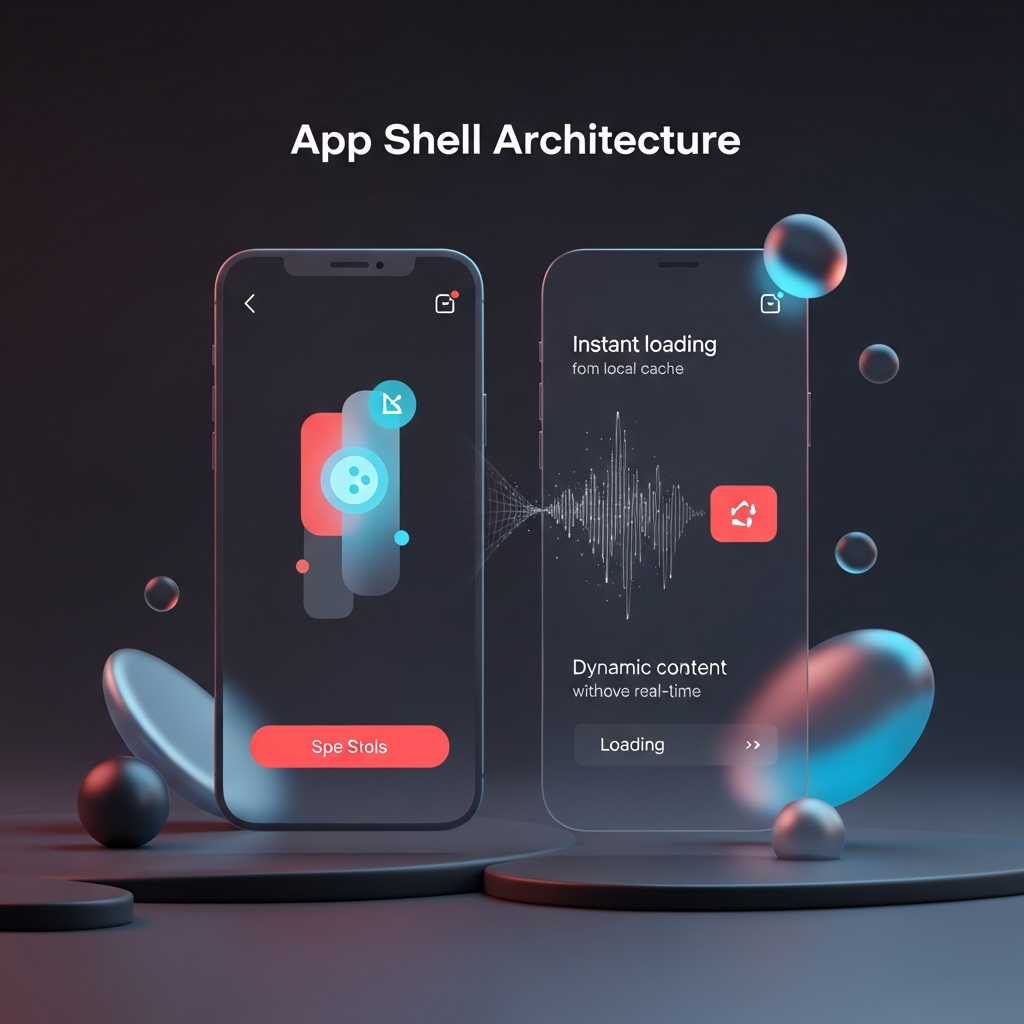
By separating core UI elements (header, footer, navigation) from dynamic content, the app shell loads instantly from cache, creating an app-like launch. Google’s Workbox library simplifies building this pattern while enforcing versioning and cache invalidation policies (https://developers.google.com/web/tools/workbox).
2.2 Service Workers for Offline and Performance
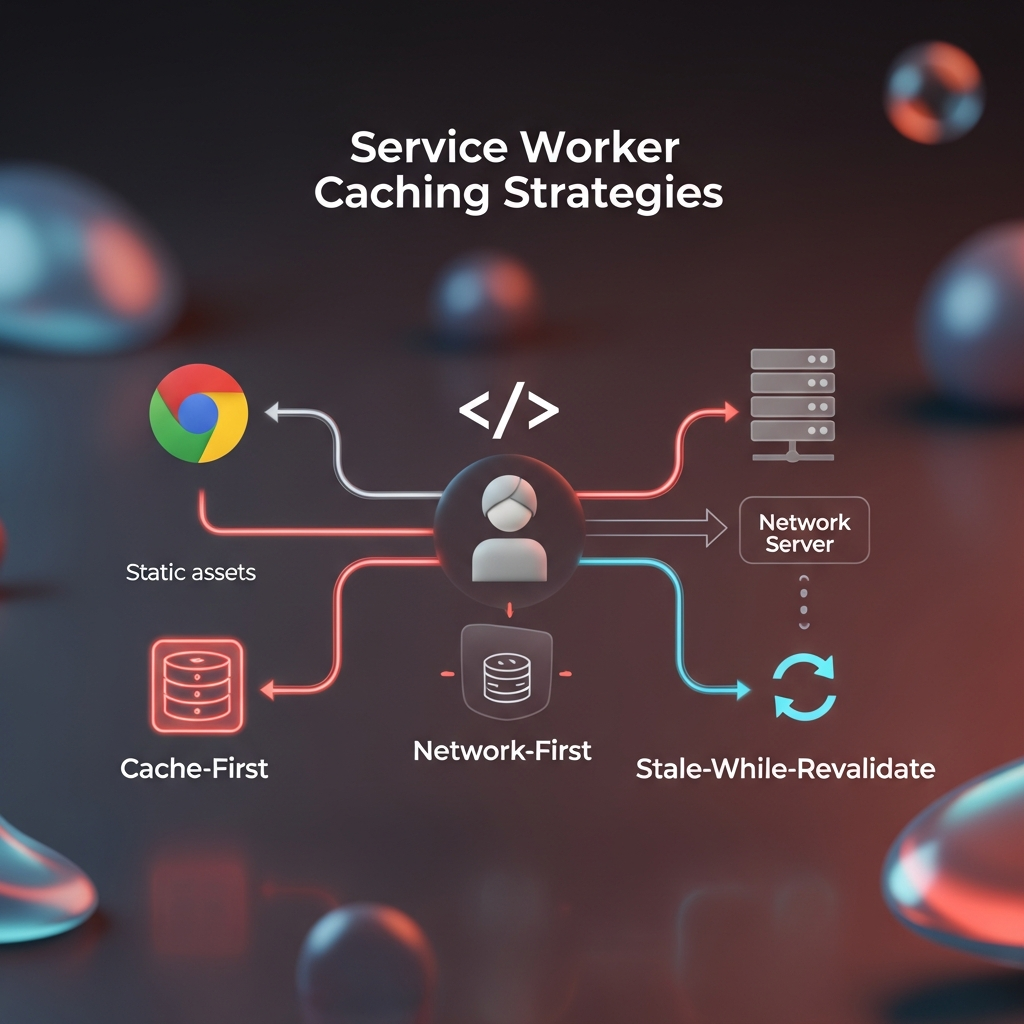
Service workers are JavaScript files that sit between the network and the browser. They intercept requests, serve cached assets, and even prefetch resources based on predicted user behavior. Key strategies:
- Cache-First: Prioritize local assets, fallback to network. Ideal for static resources (images, stylesheets).
- Network-First: Attempt a fresh fetch, fallback to cache. Best for user-generated content.
- Stale-While-Revalidate: Serve cached asset immediately, then refresh in background.
Detail on Service Worker API: https://developer.mozilla.org/en-US/docs/Web/API/Service_Worker_API
2.3 Web App Manifest
The manifest.json file tells the browser how your PWA should appear when installed—defining icons, screen orientation, display mode (standalone vs. fullscreen), theme colors, and the launch URL. Proper configuration unlocks “Add to Home Screen” prompts on Android and Windows devices.
2.4 Push Notifications and Background Sync
Push APIs let you send context-rich updates even when the PWA is closed; Background Sync ensures any user action taken offline (form submissions, comments) automatically retries once connectivity returns. Both APIs enhance engagement and reliability.
3. Building Blocks: From Scaffold to Production
3.1 Setting Up Your Development Environment
- Node.js 18+ with npm or Yarn
- Modern frameworks: React (Create React App or Vite), Vue.js, or Angular CLI
- Bundlers: Webpack 5, Rollup, or esbuild for asset optimization
- Code editor: VS Code with ESLint and Prettier extensions
3.2 Project Structure
Adopt a folder layout that separates concerns:
/public— static assets and manifest.json/src— application code and service worker registration/src/sw.js— service worker logic/src/components— reusable UI elements
3.3 Creating the Manifest
{
  "name": "NextGen PWA",
  "short_name": "NextPWA",
  "start_url": "/",
  "display": "standalone",
  "background_color": "#f7f7f7",
  "theme_color": "#0057e7",
  "icons": [
    {"src": "icons/192.png","sizes": "192x192","type": "image/png"},
    {"src": "icons/512.png","sizes": "512x512","type": "image/png"}
  ]
}
3.4 Registering the Service Worker
if ('serviceWorker' in navigator) {
  window.addEventListener('load', () => {
    navigator.serviceWorker.register('/sw.js')
      .then(reg => console.log('SW registered:', reg))
      .catch(err => console.error('SW error:', err));
  });
}
3.5 Implementing Caching Strategies
const CACHE_NAME = 'nextpwa-v1';
const ASSETS = [
  '/', '/index.html', '/styles.css', '/bundle.js', '/offline.html'
];

self.addEventListener('install', e => {
  e.waitUntil(caches.open(CACHE_NAME).then(cache => cache.addAll(ASSETS)));
});

self.addEventListener('fetch', e => {
  if (e.request.mode === 'navigate') {
    return e.respondWith(
      fetch(e.request).catch(() => caches.match('/offline.html'))
    );
  }
  e.respondWith(
    caches.match(e.request).then(res => res || fetch(e.request))
  );
});
4. SEO, Accessibility, and Security Best Practices
4.1 SEO for PWAs
- Use server-side rendering (SSR) or dynamic rendering for critical routes.
- Maintain unique, descriptive URLs (avoid “#” hash routing without fallback).
- Embed structured data (JSON-LD) for rich results.
4.2 Accessibility (a11y)
Follow WCAG 2.1 guidelines—ensure meaningful ARIA labels, keyboard navigation, and color contrast. Lighthouse (https://developers.google.com/web/tools/lighthouse) provides automated audits and action items.
4.3 Security
- Always serve over HTTPS (mandatory for service workers).
- Implement a strong Content Security Policy (CSP) to prevent cross-site scripting.
- Keep dependencies patched and use tools like Snyk (https://snyk.io) for vulnerability scanning.
5. Measuring Success: Performance and Engagement Metrics
5.1 Web Vitals
Track Core Web Vitals—Largest Contentful Paint (LCP), First Input Delay (FID), Cumulative Layout Shift (CLS). Google’s PageSpeed Insights and Lighthouse offer real-time diagnostics.
5.2 User Engagement
- Installation rate (how many visitors “Add to Home Screen”).
- Push subscription opt-in percentage.
- Offline session counts.
- Conversion rate improvements post-PWA launch.
6. Emerging Trends and the Road Ahead
6.1 Deeper Hardware Access
The Web Bluetooth API, WebUSB, and upcoming WebXR interfaces promise access to sensors, AR/VR headsets, and IoT devices—blurring lines between web apps and device-native experiences (https://whatpwacando.today/).
6.2 AI-Powered Personalization
PWAs can integrate on-device AI inference (via WebAssembly) to deliver personalized content, voice interfaces, and handwriting recognition without sending raw data to servers.
6.3 Cross-Device Continuity
Future PWAs may support session handoff between mobile, desktop, and smart TVs—leveraging Web Share Target and Media Session APIs to create truly unified experiences.
Conclusion: Launching Your PWA in Days, Not Months
PWAs represent the future of web and mobile convergence. By adopting the architecture, tools, and best practices outlined above, you can deliver lightning-fast, reliable, and engaging experiences that delight users and drive business growth. Start by scaffolding your project, integrate service workers and a manifest, then iterate with performance audits and user feedback. As browsers continue to evolve, PWAs will remain a strategic investment for any organization focused on the open web.