

Getting to Know Your Audience Through Research

Developing a winning online presence starts with a deep dive into your users’ world. Before diving into layouts or color palettes, invest time in gathering both quantitative and qualitative data. Surveys and questionnaires remain powerful tools for collecting broad feedback on preferences, device usage, and feature priorities. Meanwhile, one-on-one interviews uncover subtleties—such as emotional triggers and hidden pain points—that numbers alone cannot reveal.
Analytics platforms provide invaluable insights into how visitors currently navigate your site. By examining metrics like bounce rates, session duration, and conversion paths, you can pinpoint obstacles that hinder progress. Tools like Google Analytics or hot-spot click maps help you see where users pause, scroll, or abandon the page. Combine these findings with competitive assessments: explore peer websites to benchmark common conventions and identify areas where you can exceed expectations.
Maintaining an ongoing feedback loop ensures that your design remains aligned with evolving user needs. Regular testing and iteration become even more effective when paired with modern architectures such as micro-frontends for scalable web apps, which allow teams to experiment and deploy features independently without disrupting the full system. In today’s fast-paced environment, user preferences shift quickly, so continuous user testing—whether moderated sessions or remote testing platforms—enables you to validate assumptions before investing heavily in development.
By leveraging a mix of surveys, interviews, analytics monitoring, and competitive analysis, you lay a robust foundation for user-centric web design. The insights you gather will guide information architecture choices, visual styling, and functional features, guaranteeing that every decision addresses genuine user demands.
Structuring Content with Intuitive Information Architecture

Once you understand who your visitors are and what they seek, the next step is organizing information in a way that mirrors their mental models. A clear information architecture reduces cognitive load, allowing users to locate relevant content rapidly and confidently. Card sorting exercises—where participants group topics and label categories—are especially effective for revealing intuitive navigation schemes.
Based on your card sorting insights, develop a hierarchy that spreads content across logical levels. Primary navigation should feature broad categories that speak directly to your audience’s goals, while secondary menus and breadcrumb trails help visitors drill down without feeling lost. Always use concise, descriptive labels—users shouldn’t guess what lies behind a link label.
Visual sitemaps and tree diagrams offer early validation of your proposed structure. Share these blueprints with team members or select customers to ensure clarity and discoverability. Make adjustments when participants express confusion or offer alternative groupings. This collaborative approach minimizes the likelihood of late-stage redesigns and fosters stakeholder buy-in.
Search functionality is another critical pillar of user-focused organization, especially in modern systems powered by flexible content structures like a headless CMS architecture guide. A well-indexed site search with autocomplete suggestions and filters empowers users to bypass menus and jump directly to the content they need.
By aligning your information architecture with real user expectations, you make every subsequent interaction—navigation clicks, content consumption, and calls to action—more straightforward and rewarding. This alignment forms the backbone of successful user-centric web design.
Ensuring Responsive, Inclusive, and Accessible Experiences
With an ever-growing array of devices and assistive technologies, designing responsively and accessibly is nonnegotiable. A responsive approach begins with fluid grids that adapt to various screen sizes, flexible media that scales smoothly, and CSS media queries that apply custom styling at key breakpoints. Adopting a mobile-first strategy ensures that the core content and functionality shine on smaller devices before you layer on enhancements for larger viewports.
Accessibility compliance enhances usability for everyone and broadens your audience reach. Adhering to the latest Web Content Accessibility Guidelines 2.1 (WCAG 2.1) from the W3C Web Accessibility Initiative is an excellent starting point. Key practices include providing meaningful alt text for images, maintaining high contrast between text and background, and ensuring keyboard-only navigation with visible focus indicators.
Automated testing tools like Lighthouse or Axe can highlight potential accessibility violations, but manual reviews are equally crucial. Screen reader testing and user trials with individuals who have disabilities will uncover real-world challenges that technology alone might miss. Accessible components—such as collapsible menus, form labels, and error messaging—must be coded thoughtfully to ensure assistive devices interpret them correctly.
Inclusive design also considers language, cultural norms, and cognitive load. Provide simple, jargon-free copy and avoid ambiguous instructions. Offer language selection for global audiences, and think about color-blindness or motor impairments when choosing interactive elements. By prioritizing inclusivity, you demonstrate respect for all users and pave the way for higher engagement and conversion.
Incorporating responsive and accessible best practices not only meets legal and ethical standards but also strengthens your overall user-centric web design framework.
Guiding Attention with Visual Hierarchy and Typography
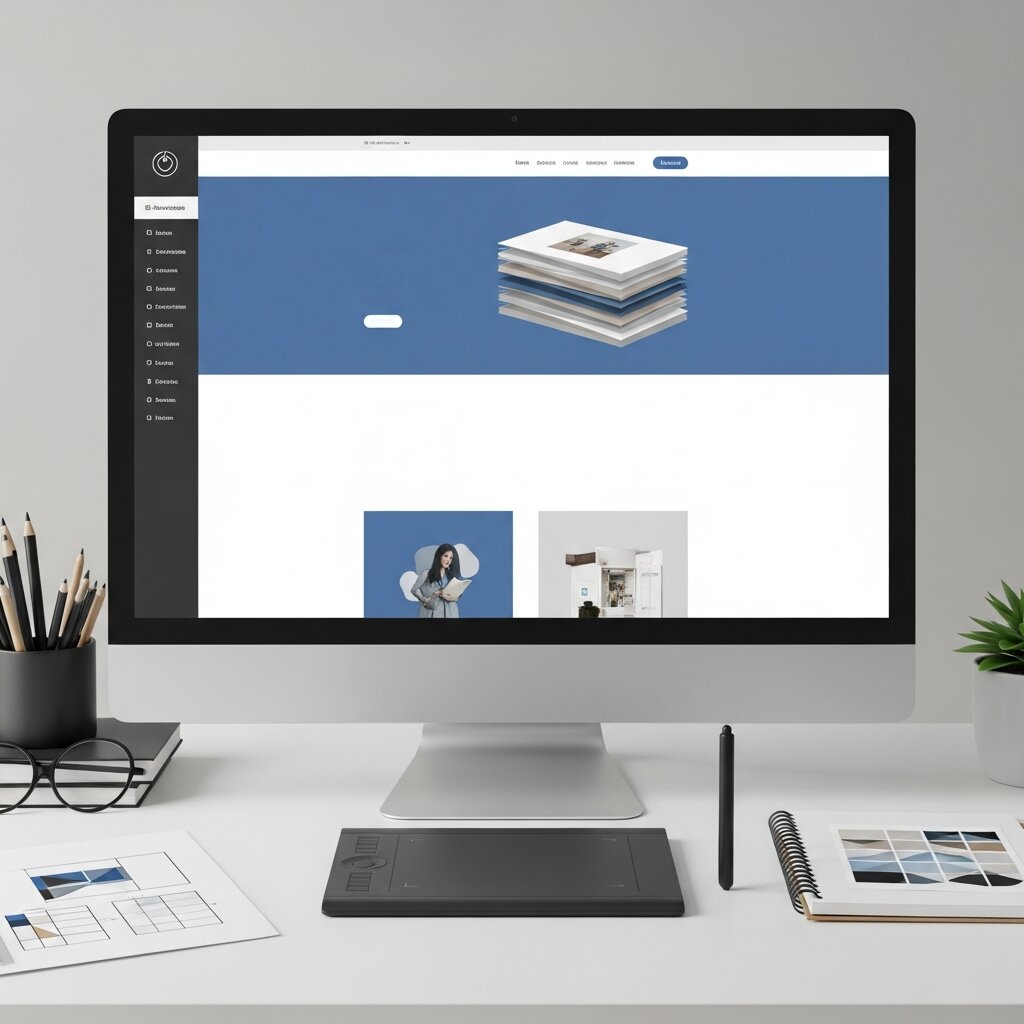
Effective layout and typography choices act as a roadmap, guiding users’ eyes to the most important information and calls to action. Start by defining a clear typographic scale: choose a primary typeface that balances readability with brand personality, and establish sizes, weights, and styles for headings, subheadings, and body text.
Whitespace, or negative space, serves as a powerful tool to separate sections, reduce clutter, and draw focus to key elements. Avoid overcrowding pages with too many competing visuals or blocks of text. Instead, embrace open layouts that give content breathing room and create a sense of hierarchy through spatial relationships.
Color plays a dual role—evoking emotion and directing attention. Use a limited palette of primary and secondary tones to establish a cohesive brand presence, and reserve accent colors for buttons or links that require user action. Always verify color contrast ratios against WCAG standards to guarantee readability for diverse audiences.
Visual treatments such as drop shadows, borders, or background highlights can further accentuate important components. However, employ them judiciously to maintain a clean aesthetic. Complex animations or excessive styling may distract users from core messaging rather than enhance it.
By weaving together thoughtful typography, strategic use of whitespace, and purposeful color accents, you reinforce the information hierarchy and create a polished, user-friendly interface. These design decisions are cornerstones of a robust user-centric web design approach that not only pleases the eye but also drives engagement.
Maximizing Performance and Interactivity for Engagement
Performance and interactivity go hand in hand when it comes to keeping users invested in your site. Even the most dazzling design can fall flat if pages load slowly or controls feel unresponsive. Implement performance optimizations such as minifying CSS and JavaScript assets, serving images in next-generation formats like WebP, and enabling lazy loading for below-the-fold content.
Responsive interactions—hover states, button animations, and form validation feedback—make the experience feel alive and offer reassurance that user inputs have been registered. Consistent button styling and clear labels reduce confusion and guide visitors toward completing desired tasks. Avoid unexpected auto-playing media or abrupt layout shifts, as these actions can confuse or frustrate users.
Consider leveraging modern front-end frameworks or libraries that support code splitting and asynchronous resource loading. This approach ensures that only necessary code reaches the browser, reducing initial payload and improving time-to-first-interaction. Tools like Google PageSpeed Insights or WebPageTest provide actionable recommendations to streamline asset delivery and boost performance scores.
Interactive components—such as dynamic accordions, modals, and tooltips—should be designed with accessibility in mind. Ensure that keyboard users can open, navigate, and close these elements seamlessly, and that focus management returns the user to a logical point in the page. Effective error messaging and inline form hints help users correct mistakes quickly, minimizing frustration and drop-off rates.
By harmonizing speed and interaction quality, you create an environment where users feel in control and motivated to explore further. This synergy elevates the overall impact of your user-centric web design efforts.
Security is another essential layer often overlooked in user experience design. Protecting user data and ensuring safe interactions is critical, especially in interactive platforms, and is supported by practices in securing web applications guide.
Frequently Asked Questions
What is user-centric web design?
User-centric web design is an approach that prioritizes the needs, motivations, and behaviors of end users throughout the planning, design, and development process. It focuses on creating intuitive, accessible, and enjoyable experiences based on real user insights rather than assumptions.
How do I conduct user research effectively?
Effective user research combines quantitative methods (surveys, analytics data) with qualitative techniques (interviews, usability testing). Use tools like Google Analytics to identify trends and conduct one-on-one sessions to uncover deeper motivations and pain points. Maintain a feedback loop to continuously validate your design decisions.
How often should I update my design based on user feedback?
In a dynamic digital environment, it’s best to adopt continuous improvement cycles. Regularly review analytics, conduct quarterly or biannual usability tests, and gather ongoing feedback through forms or interviews. Iterating your design based on fresh insights ensures your site remains aligned with evolving user expectations.
What is User-Centric Web Design?
User-Centric Web Design is a design approach that focuses on user needs, behaviors, and preferences to create websites that are intuitive, accessible, and easy to navigate.
Why is User-Centric Web Design important?
User-Centric Web Design improves user experience, increases engagement, reduces bounce rates, and helps businesses build stronger trust with their audience.
How can user research improve website design?
User research helps identify audience expectations, pain points, and browsing habits, allowing designers to create more effective and user-friendly experiences.
What are the key elements of User-Centric Web Design?
Important elements include responsive layouts, accessibility, intuitive navigation, fast loading speeds, clear typography, and engaging interactivity.
How does responsive design support user experience?
Responsive design ensures a website works smoothly across desktops, tablets, and smartphones, providing users with a consistent browsing experience.
Why is accessibility important in web design?
Accessibility allows people with different abilities to use and navigate a website comfortably, improving inclusivity and usability for all visitors.
How does visual hierarchy affect website usability?
Visual hierarchy guides users’ attention to important content, making it easier to scan information and complete actions efficiently.
What tools are useful for User-Centric Web Design research?
Tools like Google Analytics, Hotjar, user surveys, heatmaps, and usability testing platforms help gather valuable user insights.
How can website speed impact user engagement?
Fast-loading websites improve user satisfaction, reduce abandonment rates, and encourage visitors to stay longer and interact with content.
What role does navigation play in User-Centric Web Design?
Clear and organized navigation helps users find information quickly, reducing frustration and improving the overall browsing experience.
How often should a website be tested for usability?
Regular usability testing should be performed whenever updates are made and periodically throughout the year to ensure the site meets changing user expectations.
Can User-Centric Web Design improve conversions?
Yes, User-Centric Web Design can increase conversions by simplifying user journeys, improving trust, and making calls to action more effective.
Conclusion
In today’s competitive online ecosystem, prioritizing the end user is essential for building websites that inform, delight, and convert. Adopting a user-centric web design mindset requires commitment to thorough research, intuitive organization, accessible coding practices, visually coherent layouts, and optimized performance. By embedding these strategies into every stage of your workflow, you ensure that every element—from navigation labels to interactive feedback—serves a clear purpose rooted in genuine user needs.
As you refine your processes, remember that continuous testing and iteration are critical. Leverage user feedback, conduct A/B experiments, and monitor analytics regularly to adapt to changing preferences. Resources such as the Nielsen Norman Group provide further research-based guidance to support your journey.
Embrace the principles outlined here, and you’ll foster digital experiences that resonate deeply, foster loyalty, and drive measurable results. Dare to put your users first, and your site will flourish in today’s dynamic landscape.







[…] can also use principles from user-centric web design to create interfaces that are easier to understand and […]