Custom Web Application Development helps businesses build web-based software around their specific processes, customers, and operational requirements. Instead of relying entirely on generic software, organizations can create applications with features, workflows, integrations, security controls, and interfaces designed for their exact needs.
From customer portals and booking platforms to SaaS products, internal business systems, eCommerce solutions, and enterprise applications, custom web applications can support a wide range of digital operations. They can also evolve as a business grows, making them a flexible option for organizations with complex or changing requirements.
This guide explains what custom web application development is, how the process works, its benefits, technologies, costs, security considerations, and best practices.
What Is Custom Web Application Development?
Custom web application development is the process of designing and building a web-based application specifically for the requirements of a particular business, organization, or target audience.
Unlike an off-the-shelf application, a custom solution is developed around a company’s unique workflows and objectives. Developers can create specific features, user roles, dashboards, databases, APIs, integrations, and automation instead of forcing the organization to adapt its processes to existing software.
A custom web application usually runs through a web browser and can be accessed from different devices without requiring users to install traditional desktop software.
For businesses new to development, understanding what web development is provides useful background before starting a custom application project.
Custom Web Application vs. Off-the-Shelf Software
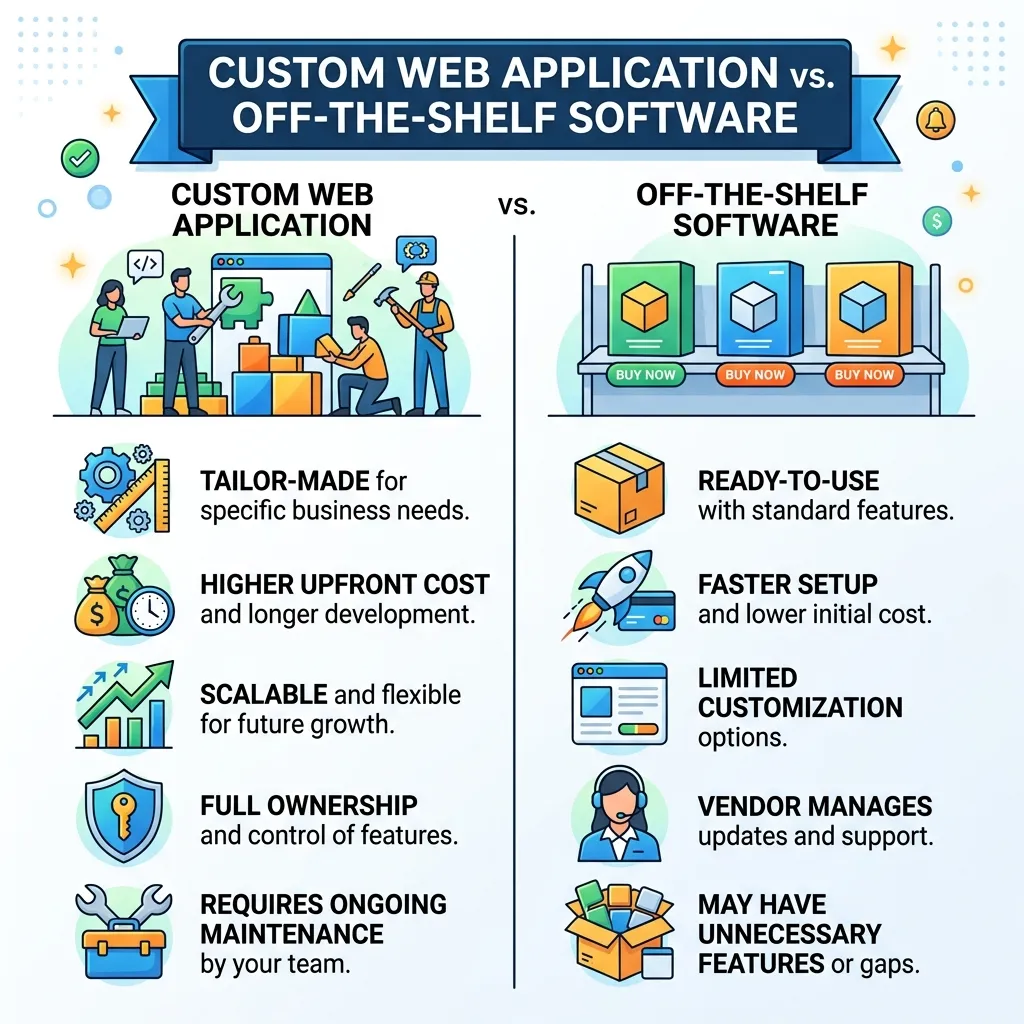
The main difference is flexibility.
Off-the-shelf software is developed for a broad audience. It typically provides predefined features that can work for many organizations. Custom applications, however, are developed around a specific set of business requirements.
| Factor | Custom Web Application | Off-the-Shelf Software |
|---|---|---|
| Features | Built around business needs | Predefined |
| Flexibility | Very high | Limited |
| User experience | Customizable | Standardized |
| Integrations | Can be specifically developed | Depends on available integrations |
| Scalability | Designed around future requirements | Depends on provider |
| Initial investment | Usually higher | Often lower |
| Maintenance | Organization-controlled or contracted | Vendor-controlled |
| Competitive differentiation | High | Usually limited |
A custom solution can therefore make more sense when standard software creates operational limitations or lacks critical functionality.
Why Businesses Choose Custom Web Application Development
Businesses may invest in custom web applications for several reasons.
1. Unique Business Requirements
Every organization operates differently. A company may have unique approval processes, customer journeys, pricing structures, reporting requirements, or internal workflows.
Custom development allows these requirements to become part of the application instead of requiring employees to work around generic software limitations.
2. Better Workflow Automation
Manual processes can consume considerable time. A custom application can automate repetitive tasks such as:
- Data entry
- Customer notifications
- Approval workflows
- Invoice generation
- Report creation
- Appointment management
- Inventory updates
- Employee requests
- Customer onboarding
Automation can reduce repetitive work and improve operational consistency.
3. Improved User Experience
A custom application can be designed around the needs of its users.
For example, a customer portal can provide personalized dashboards, account information, order history, support requests, and notifications in one location.
Businesses can also use principles from user-centric web design to create interfaces that are easier to understand and navigate.
4. Scalability
Businesses often change after an application is launched. They may add employees, customers, products, locations, or services.
A properly planned custom application can be developed with future growth in mind. New modules, integrations, and functionality can then be introduced as requirements evolve.
5. Integration With Existing Systems
Many organizations use multiple platforms for accounting, CRM, marketing, payments, inventory, customer support, or analytics.
A custom web application can connect these systems through APIs and other integration methods, helping create a more connected technology environment.
Types of Custom Web Applications
Custom web applications can serve different business and operational purposes.
Customer Portals
Customer portals allow users to access personal information, documents, orders, subscriptions, support requests, and other services.
Enterprise Applications
Large organizations may use custom applications for employee management, internal communication, reporting, workflow automation, and operational control.
SaaS Applications
Software-as-a-Service platforms are web applications delivered to users through the internet. Businesses can build custom SaaS products around specific industries or use cases.
If you are considering a broader software solution, understanding SaaS development services can help clarify the development requirements.
eCommerce Applications
Custom eCommerce applications can provide specialized product catalogs, checkout experiences, pricing models, customer accounts, inventory management, and integrations.
For organizations using established commerce platforms, eCommerce web development provides additional context.
Booking and Scheduling Applications
Businesses in healthcare, travel, education, hospitality, consulting, and professional services can build applications for appointments, reservations, schedules, payments, and customer notifications.
Content Management Applications
Custom content platforms can be designed around specialized publishing workflows, approval systems, user roles, and content structures.
Internal Business Tools
Companies can create internal applications for:
- Project management
- Employee operations
- Inventory
- Sales management
- Financial workflows
- Reporting
- Data management
- Customer service
Key Components of a Custom Web Application
A successful application requires more than an attractive interface. Several technical layers work together.
Frontend
The frontend is the part of the application users interact with directly.
It can include:
- Navigation
- Forms
- Dashboards
- Buttons
- Tables
- Charts
- Search functions
- Account interfaces
Common frontend technologies include HTML, CSS, JavaScript, and modern frameworks such as React.
You can learn more about JavaScript in web development and React.
Backend
The backend manages application logic, databases, authentication, APIs, and server-side operations.
For example, when a user submits an order, the backend may validate the request, update the database, process payment information, and return a confirmation.
Businesses planning a custom application should understand the role of the backend development process.
Database
The database stores and organizes application information.
Depending on the project, developers may work with relational databases or NoSQL technologies.
Database architecture should consider:
- Data structure
- Performance
- Security
- Backup
- Scalability
- Data relationships
APIs
APIs allow different systems and services to communicate.
For example, a custom web application may connect with payment gateways, CRM platforms, email systems, analytics platforms, or third-party services through APIs.
Authentication and Authorization
Authentication verifies who a user is, while authorization determines what that user can access.
A custom application may have different roles such as:
- Administrator
- Manager
- Employee
- Customer
- Vendor
Each role can receive different permissions.
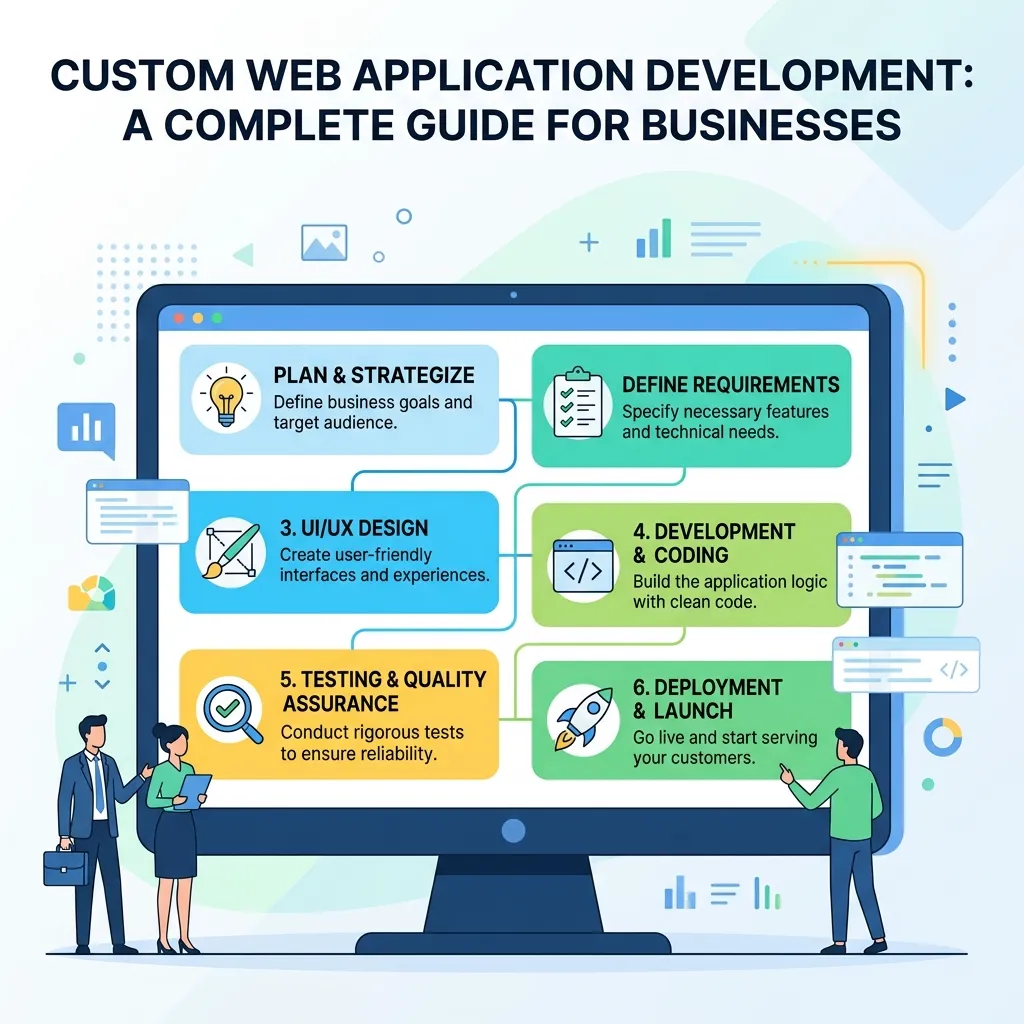
The Custom Web Application Development Process
A structured development process reduces technical problems and helps align the final product with business objectives.
Step 1: Requirement Discovery
The first stage is understanding what the application needs to accomplish.
Developers and stakeholders should identify:
- Business objectives
- Target users
- Core features
- User roles
- Existing systems
- Integration requirements
- Security requirements
- Performance expectations
- Budget
- Timeline
Poor requirements at this stage can create expensive changes later.
Step 2: Market and Competitor Research
Research can reveal how similar applications work and what users expect.
The goal is not simply to copy competitors. Instead, research should identify opportunities to create a more useful and differentiated experience.
Step 3: Application Architecture
Architecture defines how different parts of the application work together.
It may include:
- Frontend
- Backend
- Database
- APIs
- Authentication
- Hosting infrastructure
- Third-party integrations
A strong architecture supports performance, security, maintainability, and future expansion.
For additional context, see this guide to web application architecture.
Step 4: UX and UI Design
Before development begins, designers create the user experience and interface.
This stage may include:
- User research
- User flows
- Wireframes
- Prototypes
- Interface design
- Usability testing
A well-designed interface can reduce confusion and improve adoption.
Step 5: Technology Selection
Developers choose technologies based on the application’s requirements.
Possible choices include:
- HTML
- CSS
- JavaScript
- React
- Next.js
- Python
- PHP
- Node.js
- MySQL
- PostgreSQL
- MongoDB
The best technology is not necessarily the newest technology. It should fit the application’s functionality, team expertise, performance requirements, and long-term maintenance needs.
You can explore modern options in the complete guide to modern web technology.
Step 6: Development
Developers begin implementing the application.
Frontend developers create the interface, while backend developers build business logic, APIs, database functionality, and authentication.
For larger applications, teams may work on different modules simultaneously.
Step 7: Integration
The application can then be connected to external systems.
Common integrations include:
- Payment gateways
- CRM platforms
- Email services
- Analytics tools
- Marketing platforms
- Inventory systems
- Customer support software
- Authentication providers
Step 8: Testing
Testing identifies problems before the application reaches users.
Common testing activities include:
- Functional testing
- Usability testing
- Performance testing
- Security testing
- Compatibility testing
- API testing
- Database testing
- Regression testing
Testing should happen throughout development rather than only at the end.
Step 9: Deployment
Once the application meets the required standards, it can be deployed to a production environment.
Deployment may involve:
- Server configuration
- Database setup
- Domain configuration
- SSL certificates
- Environment variables
- Monitoring
- Backup systems
Step 10: Maintenance and Updates
Development does not necessarily end at launch.
Applications require ongoing:
- Security updates
- Bug fixes
- Performance improvements
- Feature updates
- Database maintenance
- Compatibility updates
- Monitoring
A maintenance plan helps keep the application reliable over time.
Technology Stack for Custom Web Applications
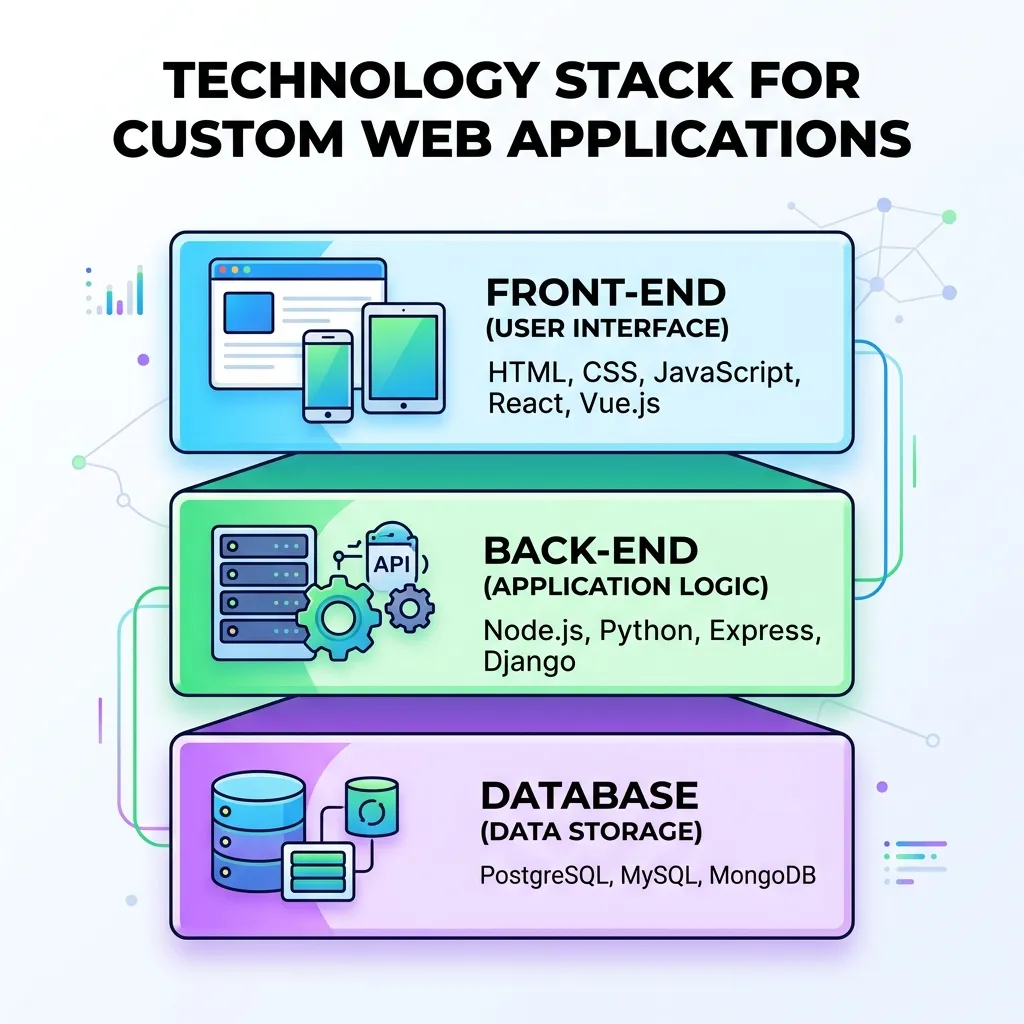
A technology stack consists of the tools and technologies used to build and operate an application.
Frontend Technologies
Common choices include:
- HTML
- CSS
- JavaScript
- React
- Next.js
Backend Technologies
Possible backend technologies include:
- Node.js
- Python
- PHP
- Java
- .NET
Databases
Common database options include:
- MySQL
- PostgreSQL
- MongoDB
- Microsoft SQL Server
Cloud and Infrastructure
Applications can be hosted using cloud infrastructure or traditional hosting environments.
The right environment depends on application traffic, scalability, security, budget, and technical requirements.
Security in Custom Web Application Development
Security should be considered from the beginning of development rather than added after launch.
Important practices include:
Secure Authentication
Applications should use secure authentication mechanisms and protect account credentials.
Role-Based Access
Users should only access information and functionality appropriate to their roles.
Data Encryption
Sensitive information should be protected during transmission and, where appropriate, at rest.
Input Validation
Applications should validate user input to reduce risks associated with malicious or unexpected data.
Secure APIs
API endpoints should use appropriate authentication, authorization, validation, and monitoring.
Regular Security Testing
Security testing can identify weaknesses before attackers exploit them.
For a deeper overview, see securing web applications.
You can also consult the OWASP resources for widely recognized web application security risks and practices.
Performance Optimization
Application performance directly affects usability.
Slow applications can create frustration, increase abandonment, and reduce productivity.
Developers can improve performance through:
- Efficient database queries
- Caching
- Image optimization
- Code optimization
- Content delivery networks
- Lazy loading
- Server optimization
- Efficient API requests
Your sitemap also includes a guide on web performance optimization techniques, which can provide additional information.
Performance should be measured continuously instead of being treated as a one-time task.
Responsive Design
Modern applications should work across different screen sizes.
Users may access a web application from:
- Desktop computers
- Laptops
- Tablets
- Smartphones
Responsive design allows the interface to adapt to different screen dimensions.
This is particularly important when customers and employees need access to the application while working remotely or using mobile devices.
Accessibility
Accessibility helps ensure that applications can be used by people with different abilities.
Important considerations include:
- Keyboard navigation
- Readable text
- Proper color contrast
- Descriptive labels
- Accessible forms
- Screen-reader compatibility
- Meaningful page structure
Businesses can explore website accessibility and inclusive design for more guidance.
Benefits of Custom Web Application Development
A well-designed custom application can provide several long-term benefits.
Greater Flexibility
Features can be developed around actual business requirements.
Better Productivity
Automation can reduce repetitive manual work.
Improved Customer Experience
Personalized interfaces can make digital interactions easier.
Stronger Integration
Applications can connect multiple business systems.
Scalability
The application can be expanded as business requirements change.
Better Data Control
Organizations can determine how application data is collected, processed, stored, and accessed.
Competitive Advantage
A specialized digital product can provide functionality that competitors may not offer.
Challenges of Custom Web Application Development
Despite its advantages, custom development also presents challenges.
Higher Initial Investment
Custom development generally requires more upfront planning and development work than purchasing basic software.
Longer Development Time
Complex applications can take significant time to design, build, test, and deploy.
Maintenance Requirements
The application needs ongoing updates and monitoring.
Technical Complexity
Large systems can become difficult to maintain if the architecture is poorly designed.
Requirement Changes
Business requirements may change during development, potentially affecting the scope and budget.
Effective planning and clear communication can reduce these challenges.
How Much Does Custom Web Application Development Cost?
The cost of custom web application development varies significantly depending on the project.
Factors affecting cost include:
- Number of features
- Application complexity
- Design requirements
- Technology stack
- Number of user roles
- API integrations
- Security requirements
- Database complexity
- Development team location
- Testing requirements
- Hosting infrastructure
- Maintenance needs
A simple internal application may require substantially less investment than a complex SaaS platform serving thousands of users.
Therefore, businesses should avoid relying on a single generic price estimate. A detailed project specification provides a much more realistic development budget.
How to Choose a Custom Web Application Development Team
Choosing the right development team can influence the quality and long-term success of the application.
Consider the following factors:
Technical Experience
Review the team’s experience with the technologies required for your project.
Portfolio
Look for examples of applications with similar complexity or functionality.
Development Process
Ask how the team handles requirements, design, development, testing, deployment, and maintenance.
Communication
Clear communication is important throughout development.
Security Practices
Ask how the team approaches authentication, authorization, data protection, testing, and vulnerability management.
Post-Launch Support
Find out whether the development team provides maintenance and technical support after launch.
Best Practices for Custom Web Application Development
Following established development practices can improve project outcomes.
Start With Clear Requirements
Define business goals and user requirements before development begins.
Build an MVP When Appropriate
For large ideas, a minimum viable product can help validate the concept before investing heavily in advanced features.
Prioritize Security
Security should be included in architecture, development, testing, and deployment.
Design for Scalability
Consider future users, data, integrations, and functionality.
Test Continuously
Frequent testing helps developers identify issues earlier.
Monitor Performance
Use performance monitoring to identify slow processes and infrastructure problems.
Document the System
Technical documentation helps future developers understand the application’s architecture and functionality.
Plan for Maintenance
A long-term maintenance strategy keeps the application secure and functional.
Custom Web Application Development and SEO
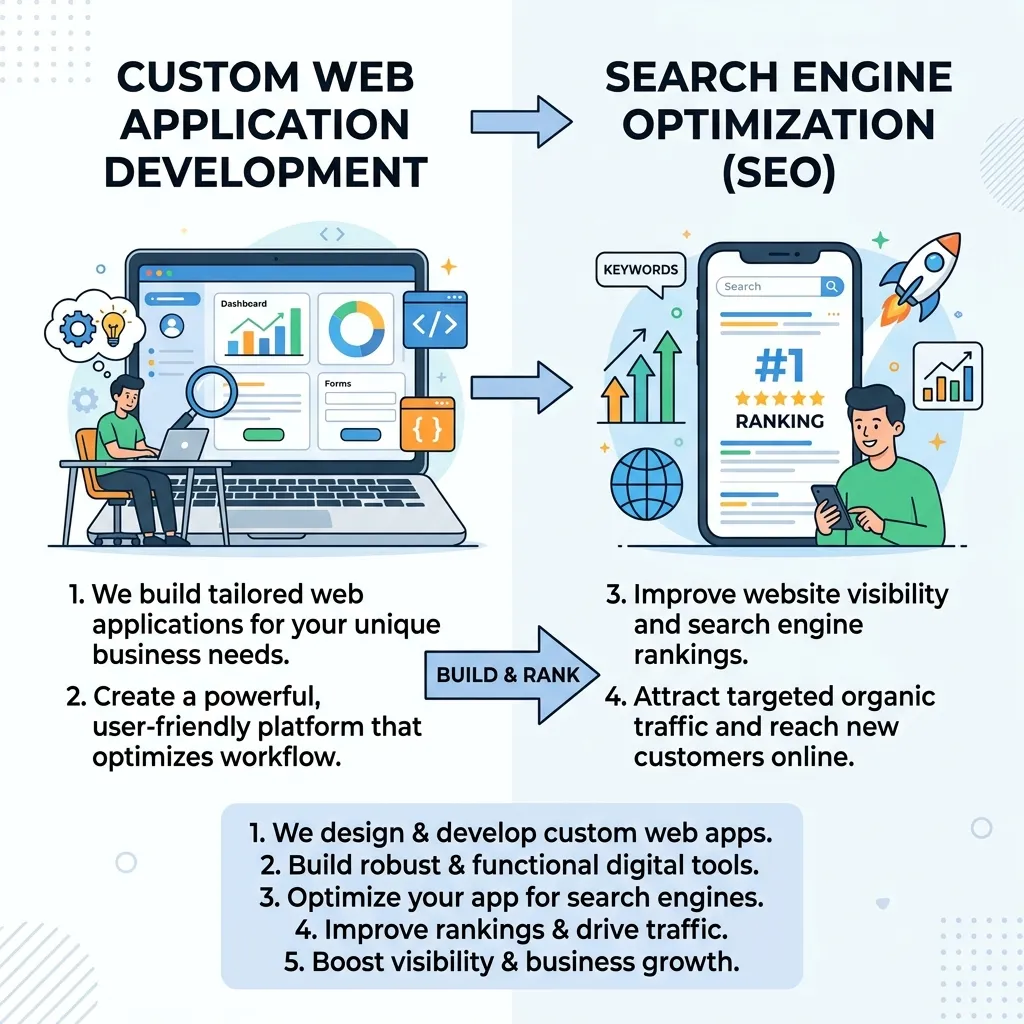
Although web applications are primarily built for functionality, SEO can still matter when applications contain public-facing pages.
Developers should consider:
- Page speed
- Mobile responsiveness
- Crawlable content
- Clean URLs
- Metadata
- Structured data where appropriate
- Internal linking
- Accessibility
- Server-side rendering when useful
Technical implementation can have a direct impact on search visibility and user experience.
For businesses focused on website performance, the guide on Core Web Vitals optimization can provide additional context.
Custom Web Applications and AI
Artificial intelligence is increasingly being integrated into web applications.
Depending on the business model, AI can support:
- Personalized recommendations
- Customer support
- Search
- Data analysis
- Content generation
- Fraud detection
- Predictive analytics
- Workflow automation
However, AI should be introduced because it solves a genuine business problem, not simply because it is technologically popular.
A custom application can integrate AI functionality into existing workflows while maintaining control over user permissions and business logic.
When Should a Business Choose Custom Development?
Custom development may be appropriate when:
- Existing software cannot meet important requirements.
- Multiple systems need to be integrated.
- The business has specialized workflows.
- User experience is a major competitive factor.
- The organization expects significant growth.
- Advanced automation is required.
- Data ownership and control are important.
- The business wants to create a proprietary SaaS product.
On the other hand, off-the-shelf software may be more practical when requirements are simple and well supported by existing products.
Final Thoughts
Custom Web Application Development gives businesses the flexibility to build digital solutions around their specific objectives, workflows, users, and growth plans. From customer portals and SaaS platforms to internal business systems and eCommerce applications, custom development can support highly specialized requirements.
The most successful projects begin with clear requirements, thoughtful architecture, user-focused design, secure development, continuous testing, and a long-term maintenance strategy.
Businesses should evaluate the application’s goals, expected users, integrations, scalability requirements, and budget before selecting a development approach. When the requirements justify a specialized solution, custom web application development can become a valuable long-term digital investment.
FAQs
1. What is custom web application development?
Custom web application development is the process of building a web-based application specifically around a business’s unique requirements, workflows, users, and goals.
2. What are the benefits of custom web application development?
Key benefits include greater flexibility, workflow automation, improved user experience, scalability, system integration, better data control, and competitive differentiation.
3. How long does custom web application development take?
The development timeline depends on the application’s complexity, features, integrations, design requirements, testing, and development team. Simple applications may take weeks, while complex systems can take several months.
4. How much does custom web application development cost?
The cost varies based on features, complexity, technology stack, integrations, security requirements, development team location, testing, hosting, and ongoing maintenance.
5. What technologies are used for custom web applications?
Common technologies include HTML, CSS, JavaScript, React, Next.js, Node.js, Python, PHP, Java, .NET, MySQL, PostgreSQL, and MongoDB.
6. Is custom web application development better than off-the-shelf software?
It depends on business requirements. Custom development is often better when a business needs specialized features, workflows, integrations, scalability, or greater control than standard software provides.
7. Are custom web applications secure?
Custom web applications can be designed with security measures such as secure authentication, role-based access control, data encryption, input validation, secure APIs, and regular security testing.
8. Can a custom web application integrate with existing business systems?
Yes. Custom applications can integrate with CRM, payment gateways, accounting software, email platforms, analytics tools, inventory systems, and other services through APIs and integration technologies.