
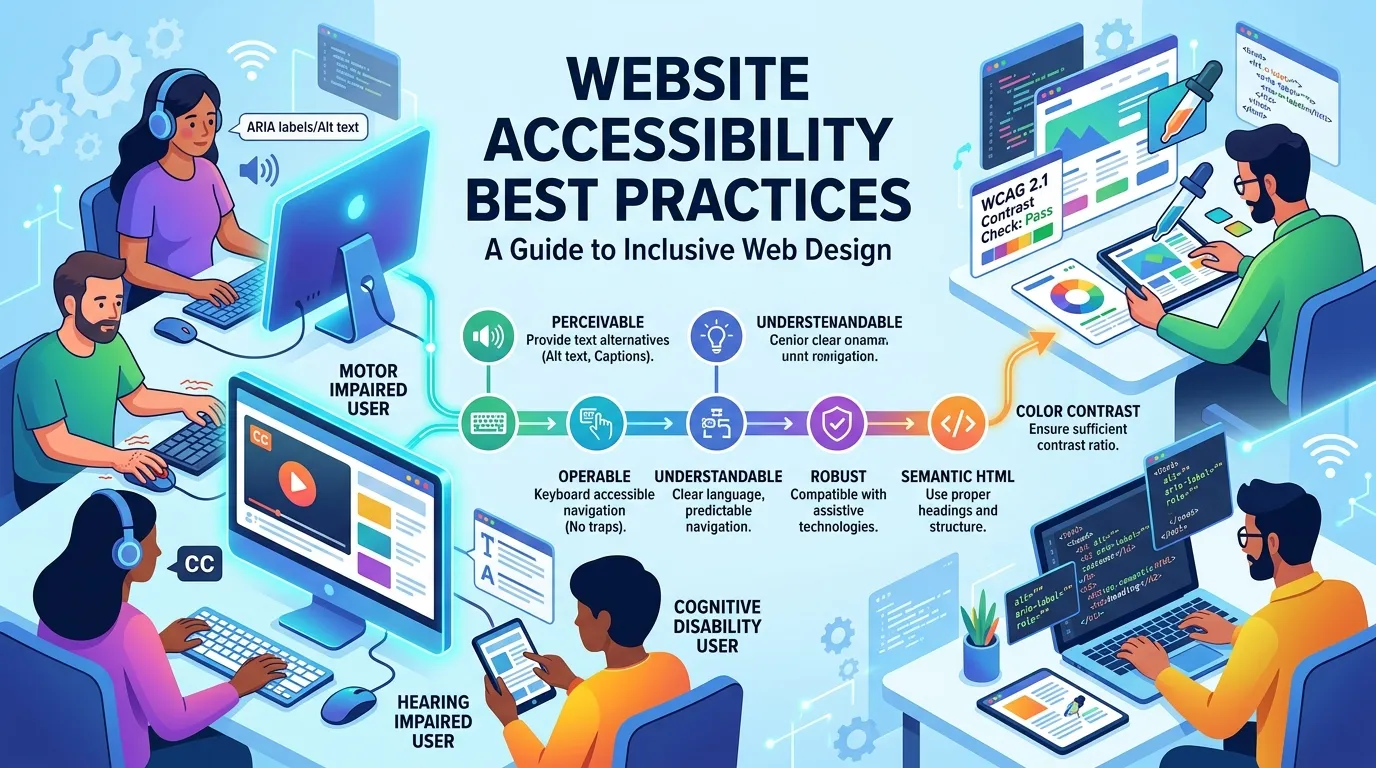
Website accessibility best practices help businesses create websites that people with different abilities can navigate, understand, and use effectively. Learn how WCAG, accessible design, keyboard navigation, screen readers, and accessibility testing can improve the user experience.
A website should be usable by as many people as possible, including those with visual, hearing, mobility, cognitive, or learning disabilities. Accessibility is not just a technical requirement; it helps create a better digital experience for everyone.
Good website accessibility best practices make websites easier to navigate, understand, and use with different devices and assistive technologies. WCAG 2.2 provides a widely used framework based on four principles: content should be perceivable, operable, understandable, and robust.
What Is Website Accessibility?
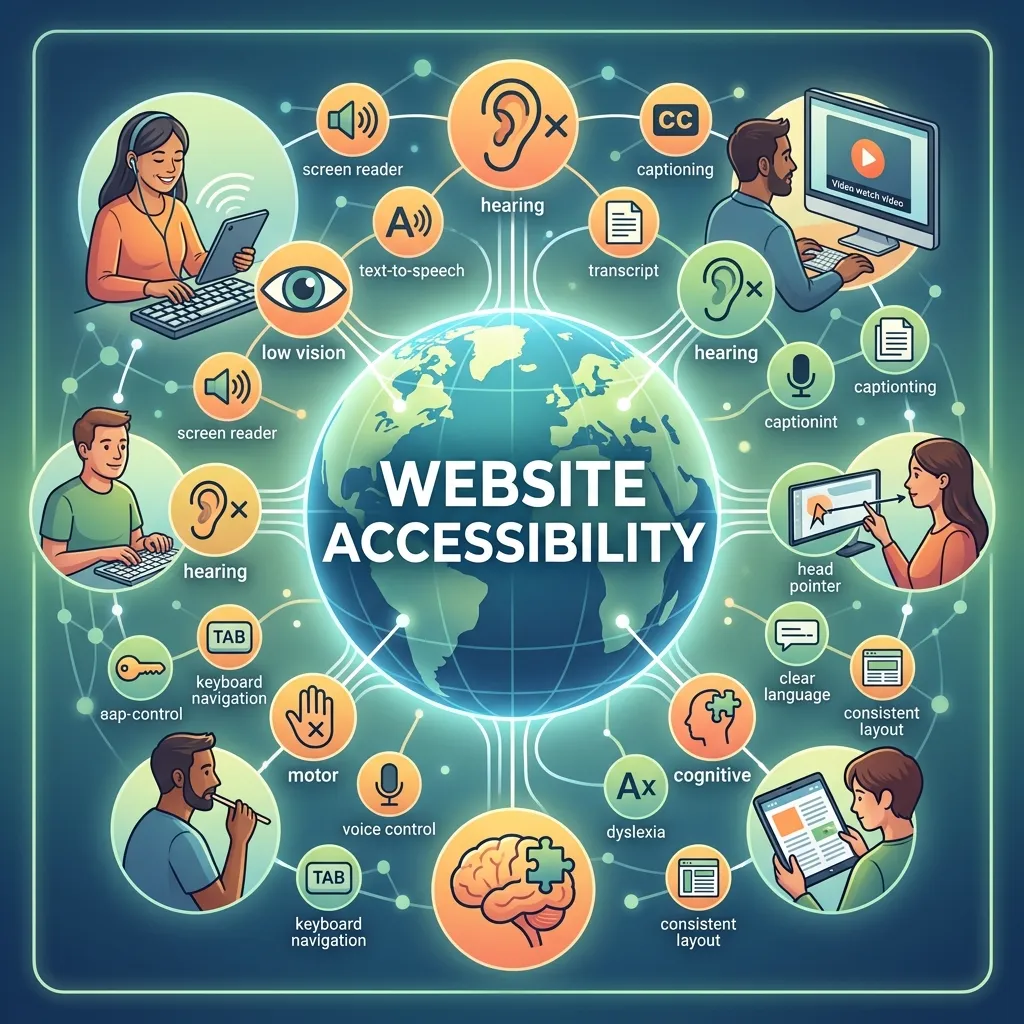
Website accessibility means designing and developing websites so that people with disabilities can perceive, navigate, understand, and interact with digital content. It covers everything from page structure and text to images, videos, forms, navigation, buttons, and interactive components.
Accessibility should be considered from the beginning of a website project rather than added after development. When accessibility is included during planning, designers and developers can create interfaces that work naturally with different devices, browsers, and assistive technologies.
Following website accessibility best practices also benefits users who do not identify as having a disability. Clear navigation, readable text, captions, descriptive links, logical page structures, and predictable interactions can make websites easier for everyone to use.
Why Website Accessibility Matters
An inaccessible website can prevent people from accessing information, purchasing products, completing forms, or using online services. The U.S. Department of Justice notes that inaccessible web content can deny people with disabilities equal access to information and services.
Accessibility also improves the overall quality of a website. A site that is easy to navigate with a keyboard, clearly structured, and understandable through a screen reader generally provides a more organized experience for all visitors.
For businesses, accessibility can also support broader audience reach and reduce usability barriers. Rather than treating accessibility as a separate technical project, organizations should make it part of their regular design, development, content, and testing processes.
Web Accessibility Guidelines
The most widely recognized web accessibility guidelines are WCAG, developed by the World Wide Web Consortium. WCAG 2.2 is the latest published WCAG 2 recommendation and provides testable success criteria for improving accessibility.
WCAG is organized around four core principles: perceivable, operable, understandable, and robust. These principles provide a foundation for decisions involving content, design, functionality, navigation, and technology.
WCAG also defines three conformance levels: A, AA, and AAA. Organizations should determine which requirements apply to their website and relevant legal or organizational obligations rather than assuming that a single accessibility level automatically satisfies every legal situation.
Accessible Website Design
Accessible website design begins with creating interfaces that are clear, consistent, and easy to understand. Designers should consider color contrast, typography, spacing, navigation, focus indicators, interactive controls, and responsive layouts.
Color should not be the only method used to communicate information. For example, a form should not rely solely on red text to identify an error. Clear text, icons, labels, or other indicators can make the message understandable to users with different visual abilities.
Designers should also make interactive elements visually identifiable. Links, buttons, menus, and form controls should have clear states so users can understand what is available and what is currently selected.
WCAG Compliance Best Practices
WCAG compliance best practices should be incorporated throughout the website lifecycle. Developers and designers should review accessibility requirements during planning, implementation, content creation, and testing.
Important areas include alternative text for meaningful images, sufficient color contrast, keyboard access, descriptive headings, accessible forms, captions for relevant multimedia, logical focus order, and understandable error messages.
WCAG 2.2 also introduced additional criteria covering areas such as focus visibility, target size, dragging movements, consistent help, redundant entry, and accessible authentication.
However, automated compliance checks alone are not enough. Accessibility evaluation should combine automated testing with manual review and, where possible, testing with people who use assistive technologies.
Website Accessibility Standards
Modern website accessibility standards provide a shared framework for organizations that want to make digital content more inclusive. WCAG is widely used internationally and has also influenced accessibility requirements and standards in different jurisdictions.
W3C recommends using the latest version of WCAG when developing or updating accessibility policies. WCAG 2.2 is also an approved ISO standard, which further supports its role as an international accessibility reference.
Businesses should still review the laws and standards that apply to their particular industry, location, and audience. Technical conformance to WCAG and legal compliance are related but are not necessarily identical concepts.
Accessible Web Development
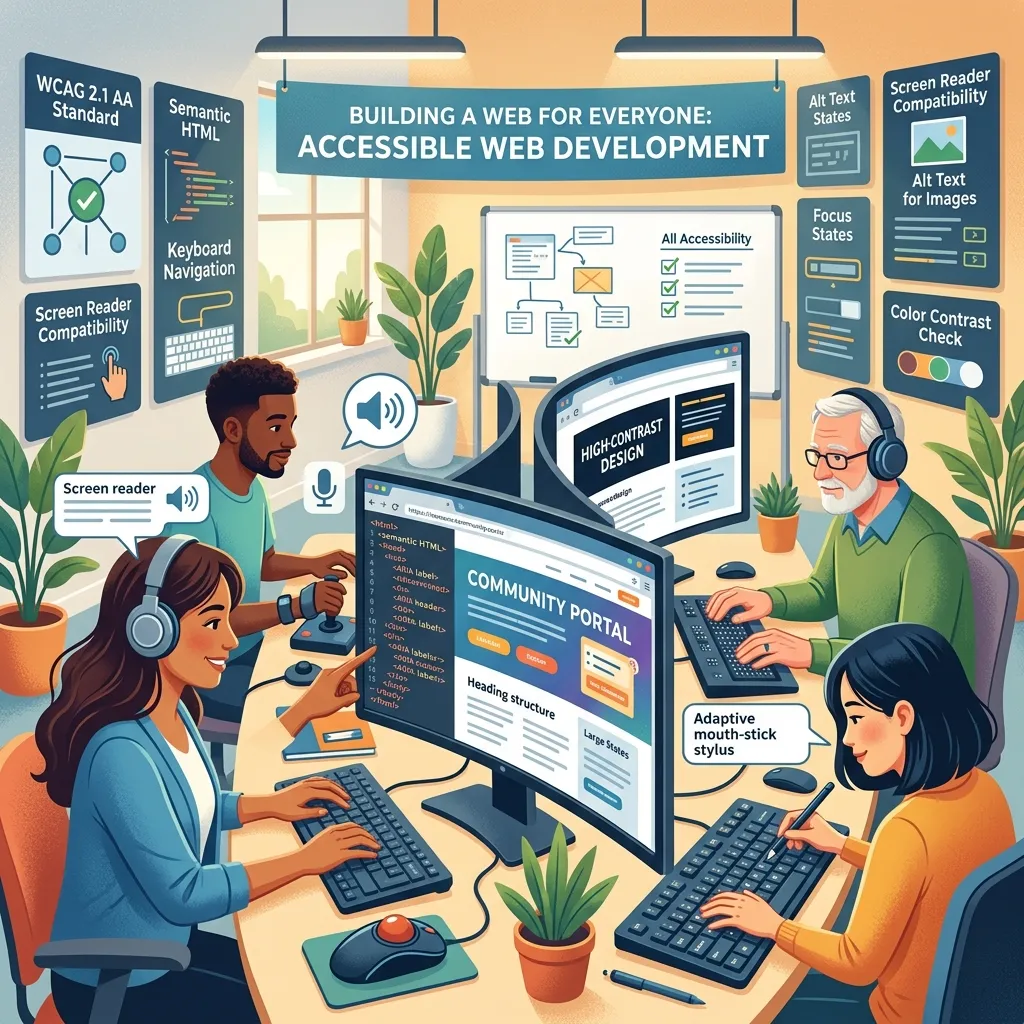
Accessible web development ensures websites work with keyboards, screen readers, browsers, and assistive technologies. Using semantic HTML, proper headings, labeled forms, meaningful links, and accessible buttons helps users navigate and interact with content more easily.
For custom components, developers should provide appropriate names, states, and keyboard controls. WAI-ARIA can support accessibility when necessary, but native HTML elements should be preferred whenever possible.
ADA Compliant Website Design
ADA compliant website design is particularly relevant to businesses operating in the United States. The Americans with Disabilities Act protects people with disabilities, while the Department of Justice provides guidance on web accessibility.
Legal requirements can vary depending on the organization and situation. Businesses should review the rules that apply to them and consider legal guidance when necessary. WCAG can also provide a useful technical framework for reducing accessibility barriers.
Accessibility Testing Tools
Accessibility testing tools help developers identify common issues such as missing alternative text, poor color contrast, and unlabeled form fields. However, automated tools cannot detect every accessibility problem.
A strong testing process combines automated scans with keyboard testing, screen reader testing, manual reviews, and user testing when possible. This provides a more complete view of website accessibility.
Keyboard Accessible Websites
Creating keyboard accessible websites allows users who cannot comfortably use a mouse to navigate and interact with content. Links, buttons, menus, forms, and other interactive elements should be accessible through keyboard controls.
Focus indicators should remain visible so users know where they are on the page. Developers should test the entire website using only a keyboard to identify inaccessible controls or keyboard traps.
Improve Color and Typography
Text needs sufficient contrast against its background so users can read it comfortably. Designers should also avoid relying exclusively on color to communicate important information.
Typography should be clear and appropriately sized. Users should be able to increase text size or zoom the page without losing important information or functionality.
Good spacing between paragraphs, headings, buttons, and other elements also improves readability. These design choices are particularly helpful for users with visual, cognitive, or learning disabilities.
Make Multimedia Accessible
Videos and audio content should be designed with accessibility in mind. Captions can help people who are deaf or hard of hearing understand spoken content, while transcripts can provide an additional way to access audio information.
Videos may also benefit from audio descriptions or other techniques when important visual information is not communicated through the audio track.
Accessibility should be considered when producing multimedia rather than added only after publication. Creating accessible content from the beginning usually produces a better experience and reduces the need for expensive revisions later.
Accessible Website Lead Generation
Accessibility can also support lead generation from website by making forms, calls to action, landing pages, and contact options easier for more visitors to use. If potential customers cannot navigate a form or understand a call to action, they may leave without completing the desired action.
Businesses should use clear form labels, descriptive buttons, readable content, and simple navigation throughout lead-generation pages. Accessible design can reduce usability barriers while creating a smoother path from the first website visit to conversion.
For more strategies, explore Lead Generation From Website.
Inclusive Web Design Practices
Inclusive web design practices focus on understanding the different ways people interact with digital products. Designers should avoid assuming that every visitor uses a mouse, sees the screen clearly, processes information in the same way, or interacts with websites under ideal conditions.
Clear language, predictable navigation, flexible layouts, readable content, and accessible controls can help create more inclusive experiences.
Teams should also involve accessibility considerations during user research and usability testing. When possible, testing with people who use assistive technologies can reveal barriers that automated tools or internal reviews may overlook.
Build Accessibility Into Your Development Process
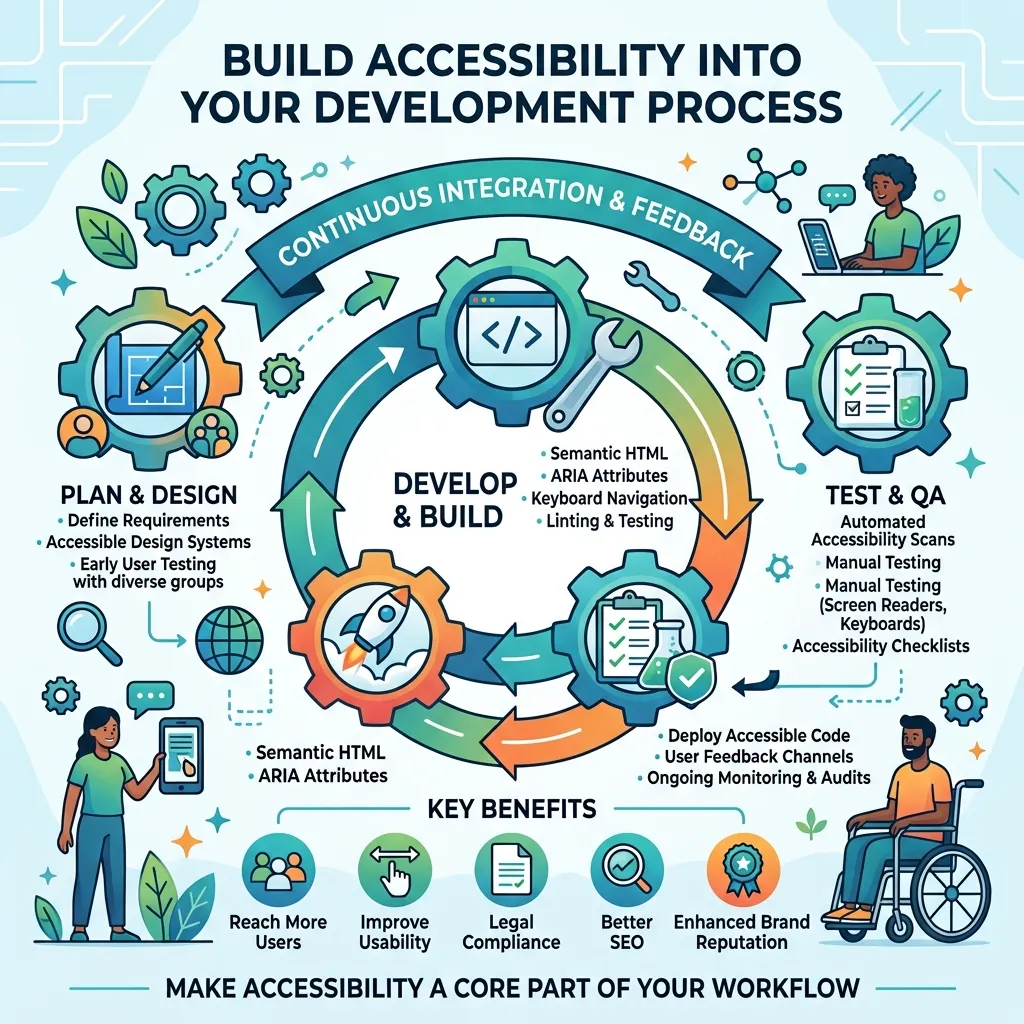
Accessibility should not be treated as a final checklist before launch. Instead, it should be included throughout the development process.
Design teams can review accessibility before creating interface components. Developers can test keyboard navigation and semantic structure while building features. Content teams can check headings, links, images, and multimedia before publishing.
This continuous approach makes accessibility easier to maintain. It also prevents small issues from becoming larger problems after a website has already been launched.
How to Audit Website Accessibility
A website accessibility audit should examine the entire user experience rather than focusing on a few technical elements. Start by scanning important pages with automated tools to identify obvious issues.
Next, manually test navigation, forms, interactive components, focus behavior, text resizing, and responsive layouts. Use a screen reader to evaluate whether important information and controls are communicated properly.
Document the issues, prioritize them according to user impact, and assign them to the appropriate design, development, or content team. After fixes are implemented, test the affected areas again to confirm that the changes work correctly.
Optimize Website Performance for Accessibility
Website performance and accessibility often work together to create a better user experience. Slow pages, heavy animations, and poorly optimized media can make websites difficult to use, particularly for people with slower connections or certain assistive needs.
Businesses should optimize images, reduce unnecessary scripts, improve page loading, and create responsive experiences across devices. Optimize Website Performance can help businesses improve speed while supporting better usability and search performance.
Performance improvements should be tested alongside accessibility so that changes do not unintentionally create new usability barriers.
Use User-Centric Web Design
Accessibility becomes more effective when websites are designed around the needs of real users. A user-centric web design approach considers how different people interact with content, navigation, forms, and interactive features.
Designers should consider users with different abilities, devices, technical environments, and levels of digital experience. Clear layouts, predictable interactions, readable content, and straightforward navigation can make websites easier to use.
Businesses can explore User-Centric Web Design strategies to better understand how user needs can influence accessible website experiences.
Include Accessibility in Website Optimization Services
Accessibility should be part of broader website improvement rather than treated as an isolated technical task. Website Optimization Services can incorporate accessibility alongside performance, technical SEO, mobile usability, and conversion optimization.
When accessibility is considered during optimization, businesses can identify problems affecting navigation, page structure, forms, content readability, and interactive features.
A combined approach makes it easier to maintain a website that performs well while remaining usable and inclusive for a broader audience.
Conclusion
Website accessibility best practices help create digital experiences that are easier for people with different abilities to access and use. Accessibility should be included throughout design, development, content, testing, and website maintenance.
Following WCAG principles, using semantic HTML, supporting keyboard navigation, providing alternative text, and testing with assistive technologies can reduce common accessibility barriers. The goal is not just to pass an accessibility scan but to create a website that is practical, understandable, inclusive, and easy for everyone to use.
Frequently Asked Questions
What are website accessibility best practices?
Website accessibility best practices include semantic HTML, alternative text, keyboard navigation, good color contrast, accessible forms, captions, and assistive technology testing.
What is WCAG?
WCAG stands for Web Content Accessibility Guidelines. It is a W3C standard for making web content and applications more accessible. WCAG 2.2 is the latest WCAG 2 recommendation.
What are the four principles of WCAG?
The four principles are perceivable, operable, understandable, and robust. They form the foundation of web accessibility.
What is accessible website design?
Accessible website design creates interfaces that people with different abilities can use. It considers navigation, typography, contrast, forms, multimedia, and responsive design.
Why is keyboard accessibility important?
Keyboard accessibility allows users who cannot use a mouse to navigate and interact with websites effectively.
How can I make a website accessible to screen readers?
Use semantic HTML, descriptive headings, meaningful links, alternative text, labeled forms, and logical page structures. Screen reader testing can also identify accessibility issues.
Are accessibility testing tools enough?
No. Accessibility testing tools can find many technical issues, but manual testing and assistive technology testing are also important.
What is WCAG compliance?
WCAG compliance means meeting applicable WCAG success criteria at a specific level. WCAG has three levels: A, AA, and AAA.
Does ADA compliance mean the website follows WCAG?
Not necessarily. WCAG is a technical standard, while ADA requirements are legal obligations. Businesses should assess the specific requirements that apply to them.
How often should website accessibility be tested?
Accessibility should be tested during development and after major website changes. Regular audits help identify and fix new accessibility barriers.






[…] can explore website accessibility and inclusive design for more […]