

Understanding the Fundamentals of Web Performance

Before applying specific techniques, you need a firm grasp of how performance is measured. Google’s Core Web Vitals are the primary metrics used to evaluate user experience. Largest Contentful Paint (LCP) measures loading performance, aiming for 2.5 seconds or faster. First Input Delay (FID) evaluates interactivity, measuring the time from a user’s first interaction to the browser’s response. Cumulative Layout Shift (CLS) assesses visual stability, ensuring elements do not unexpectedly jump around the screen as the page loads.
Understanding the anatomy of a page load helps pinpoint exactly where bottlenecks occur. When a user navigates to your URL, the browser first performs a DNS lookup to find the server’s IP address. It then establishes a TCP connection and an SSL/TLS handshake for security. Following this, the browser sends an HTTP request, and the server responds with the initial HTML document. Finally, the browser parses the HTML, requests additional assets like CSS and JavaScript, and renders the page pixels on the screen. Any delay in this sequence degrades the user experience.
To track these processes, developers rely on robust measurement tools. Google Lighthouse and PageSpeed Insights provide comprehensive audits and actionable recommendations based on real-world and lab data. WebPageTest offers granular insights into the loading waterfall, allowing you to see exactly which requests are blocking your rendering path.
Core Optimization Techniques: Server-Side and Network Efficiency

Optimizing Server Response Time
A fast website begins with a fast server. Efficient server configuration and high-quality hosting provide the foundation for rapid load times. Shared hosting often leads to resource bottlenecks, so migrating to a dedicated server or a scalable cloud infrastructure can yield immediate improvements. Furthermore, optimizing your database queries and implementing robust caching strategies on the server side prevents the system from generating the same dynamic pages repeatedly. Choosing lightweight backend technologies and keeping your server software updated also plays a major role in reducing the Time to First Byte (TTFB).
Leveraging Content Delivery Networks
Content Delivery Networks (CDNs) are distributed networks of servers strategically placed around the globe. When you use a CDN, your website’s static assets are cached on these edge servers. When a user requests your site, the CDN serves the data from the server geographically closest to them. This drastically reduces network latency. A user in Tokyo accessing a site hosted in New York will experience significant delays without a CDN, but with one, they receive the files from a local Japanese server almost instantly.
Implementing HTTP/2 and HTTP/3
Upgrading your network protocols is a highly effective optimization technique. HTTP/2 introduced multiplexing, allowing multiple requests and responses to be sent simultaneously over a single TCP connection. It also features header compression, which reduces the overhead of HTTP requests. HTTP/3 takes this further by utilizing the QUIC protocol, which is built on UDP instead of TCP. This eliminates the head-of-line blocking issues found in previous versions and significantly speeds up the initial connection process, particularly on unreliable mobile networks.
Front-End Optimization Strategies: Enhancing Client-Side Performance
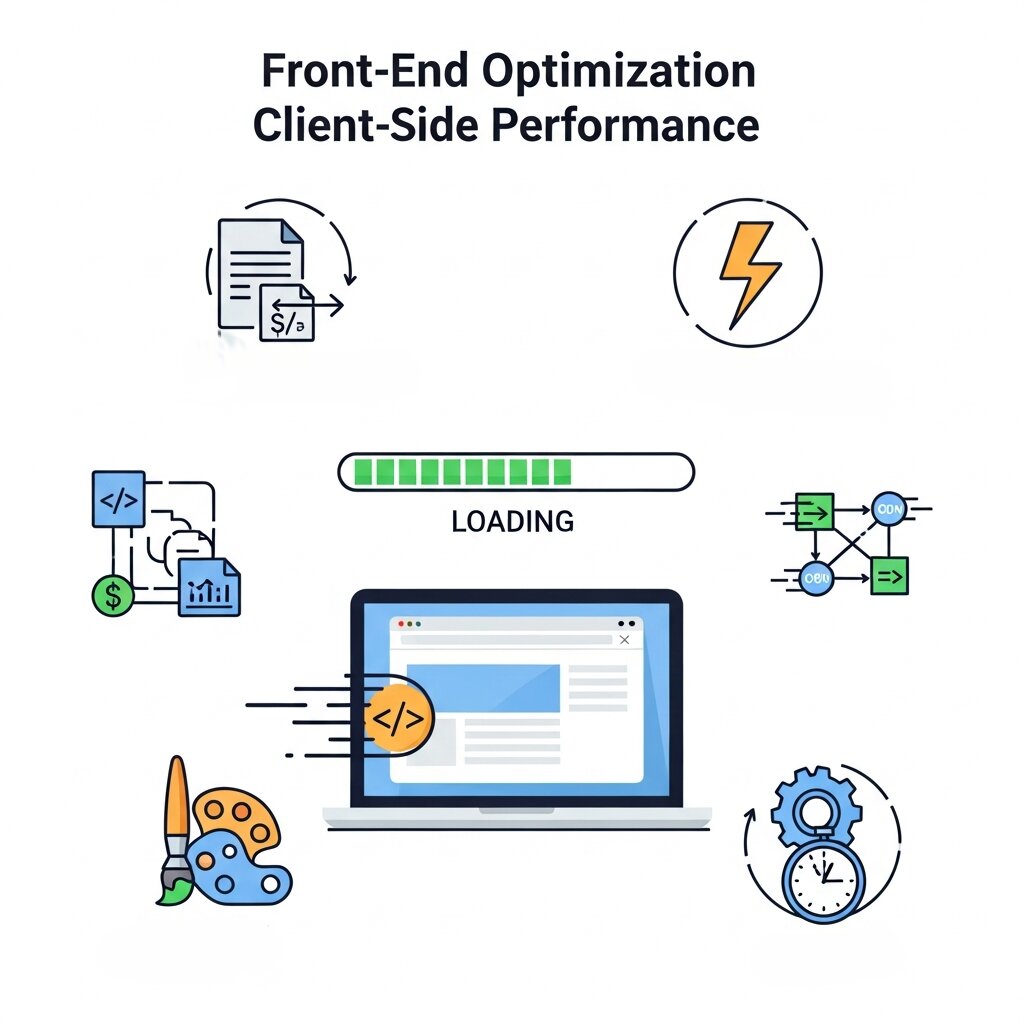
Image Optimization
Images typically account for the largest portion of a webpage’s total payload. Proper sizing is the first step; you should never rely on CSS to scale down a massive image for a small thumbnail. Implementing responsive images ensures that mobile devices receive appropriately scaled files. Adopting next-generation formats like WebP and AVIF provides superior compression compared to traditional JPEGs and PNGs, drastically reducing file sizes without sacrificing visual fidelity. Additionally, implementing lazy loading ensures that offscreen images are only requested when the user scrolls near them, saving bandwidth and prioritizing critical above-the-fold content.
Images often dominate page size. Proper optimization ensures faster loading. If you’re new to front-end structure, understanding what HTML is and how it works helps you structure images efficiently within your layout.
CSS and JavaScript Optimization
Bulky code files significantly delay page rendering. Minification strips out unnecessary whitespace, comments, and formatting from your CSS and JavaScript, making the files smaller. Compressing these files using algorithms like Gzip or Brotli before sending them over the network further reduces their size. You should also utilize tree shaking to eliminate unused code from your bundles. For non-critical scripts, deferring their execution or using the async attribute ensures they do not block the parsing of the main HTML document.
Font Optimization
Custom web fonts enhance branding but can severely disrupt performance if handled poorly. Using the font-display: swap CSS property ensures that text remains visible using a fallback system font while the custom font is downloading. This prevents the dreaded “flash of invisible text.” Hosting your fonts locally rather than relying on third-party domains removes additional DNS lookups and connection times. Finally, you can subset your fonts, creating smaller files that only include the specific characters and glyphs your website actually uses.
Advanced Techniques for a Lightning-Fast Website
Browser Caching
Browser caching is one of the most effective Web Performance Optimization Techniques for reducing load times and improving user experience. It allows a user’s device to store static versions of website files such as images, CSS, and JavaScript locally. When users revisit your site or navigate to other pages, their browser retrieves these files from local storage instead of downloading them again from the server. This significantly reduces server requests and speeds up page rendering. Proper configuration of Cache-Control headers is essential for controlling how long resources are stored in the browser. By setting long expiration times for rarely changed assets like logos, fonts, and base stylesheets, you can dramatically improve repeat visit performance and overall site efficiency.
Browser caching stores static assets locally, reducing repeat downloads. This is a fundamental concept in web development best practices for digital marketers, where performance directly impacts campaign success.
Critical Rendering Path Optimization
Critical rendering path optimization is a core part of modern Web Performance Optimization Techniques that focuses on how quickly a browser can display visible content. The rendering path includes all steps required to convert HTML, CSS, and JavaScript into pixels on the screen. Optimizing this process involves reducing unnecessary resources and prioritizing content that appears above the fold. One powerful method is inlining critical CSS directly into the HTML <head>, which allows the browser to render the initial view without waiting for external stylesheets to load. By minimizing render delays and focusing on essential resources first, developers can significantly improve perceived performance and deliver a faster, smoother user experience.
Reducing Render-Blocking Resources
Any resource that the browser must download and parse before it can display the page is considered render-blocking. External stylesheets and synchronous JavaScript files in the head of your document are the most common culprits. Moving non-essential scripts to the footer of your HTML document ensures they load after the visual content. You can also load external stylesheets asynchronously, ensuring they do not halt the visual rendering of the page while they are being fetched over the network.
Code Splitting and Bundle Analysis
Code splitting is an advanced Web Performance Optimization Techniques approach used to improve loading efficiency in modern web applications. Instead of delivering a single large JavaScript bundle, code splitting breaks the application into smaller chunks that load only when needed. This reduces initial load time and improves responsiveness, especially for large single-page applications. Tools like Webpack Bundle Analyzer help developers visualize bundle sizes and identify unnecessary dependencies or oversized libraries. By analyzing and optimizing these bundles, developers can remove unused code, replace heavy libraries, and ensure that users only download the JavaScript required for the current view, resulting in faster and more efficient page loads.
Service Workers for Instant Loading
Service workers play a powerful role in Web Performance Optimization Techniques by enabling offline capabilities and instant loading experiences. Acting as a proxy between the browser and the network, service workers intercept requests and serve cached responses when available. This allows websites to load almost instantly on repeat visits, even in poor or offline network conditions. A cache-first strategy ensures that frequently accessed assets are served from local storage, reducing server dependency. Beyond caching, service workers also enable advanced features like background synchronization and push notifications, making web applications feel more like native apps while significantly improving performance and reliability.
Preload, Preconnect, and Prefetch
Continuous Monitoring and Iteration
Performance optimization is not a one-time task. Continuous monitoring is essential. Developers who understand both technical and marketing aspects—like those described in how web development enhances marketing—can better align performance improvements with business goals..
Regular auditing and testing should be integrated into your deployment pipeline. By running automated Lighthouse audits on every code change, you can catch performance issues before they reach production. Furthermore, lab data must be complemented with real-user monitoring (RUM). User-centric performance monitoring tracks how actual visitors experience your site across different devices and network conditions, providing the most accurate picture of your optimization efforts.
Sustaining a High-Performing Web Presence
Achieving a lightning-fast website requires a multifaceted approach. From upgrading your server architecture and leveraging CDNs to optimizing images, minimizing code, and implementing advanced caching strategies, every millisecond saved contributes to a superior user experience.
The journey of optimization never truly ends. As browsers evolve and new network protocols emerge, the standards for web performance will continue to shift. Staying informed about future trends in web performance ensures your digital presence remains competitive. By prioritizing speed and making performance a core component of your development culture, you build trust with your audience, improve your search engine rankings, and ultimately drive better business outcomes.
Frequently Asked Questions
What are Web Performance Optimization Techniques?
Web Performance Optimization Techniques are strategies used to improve website speed, responsiveness, and overall user experience through better coding, caching, and resource management.
Why are Web Performance Optimization Techniques important?
They help reduce load times, improve user engagement, boost SEO rankings, and increase conversions by delivering a faster browsing experience.
What are Core Web Vitals?
Core Web Vitals are key performance metrics—LCP, FID, and CLS—that measure loading speed, interactivity, and visual stability as part of Web Performance Optimization Techniques.
How does server response time affect performance?
A slow server increases Time to First Byte (TTFB), delaying page load. Optimizing servers is a crucial part of Web Performance Optimization Techniques.
What role do CDNs play in performance optimization?
CDNs reduce latency by delivering content from servers closest to users, making them essential in Web Performance Optimization Techniques.
How does image optimization improve performance?
Compressed and properly sized images reduce page weight, leading to faster load times and better Web Performance Optimization Techniques results.
What is code minification?
It removes unnecessary characters from CSS and JavaScript files, reducing file size and improving load speed.
How does browser caching enhance performance?
Browser caching stores files locally, reducing repeat downloads and improving load speed, making it a key Web Performance Optimization Technique.
What are render-blocking resources?
These are files that delay page rendering. Reducing them is an important part of Web Performance Optimization Techniques.
What is code splitting?
Code splitting divides large JavaScript files into smaller chunks, improving loading efficiency and user experience.
How do service workers improve website speed?
They cache assets and enable offline access, significantly enhancing performance and reliability.
What is lazy loading?
Lazy loading delays loading of non-critical resources until needed, reducing initial page load time.
What are preload, preconnect, and prefetch?
These are resource hints that help browsers load assets faster, improving performance and efficiency.
How often should I optimize my website performance?
Regularly—continuous monitoring and updates are essential for maintaining effective Web Performance Optimization Techniques.
Can performance optimization improve SEO?
Yes, faster websites rank better on search engines, making Web Performance Optimization Techniques critical for SEO success.
Conclusion
In today’s fast-paced digital environment, implementing effective Web Performance Optimization Techniques is essential for delivering a seamless user experience and maintaining a competitive edge. From optimizing server response times and leveraging CDNs to improving front-end performance with code splitting, caching, and resource prioritization, every strategy plays a vital role in enhancing speed and efficiency. Continuous monitoring, testing, and refinement ensure that your website remains fast, reliable, and user-friendly. By prioritizing Web Performance Optimization Techniques, businesses can boost engagement, improve search rankings, and drive long-term growth.







[…] testing only with small, clean datasets that don’t reflect actual production conditions. This web performance optimization techniques guide covers additional context on the specific conditions worth testing […]