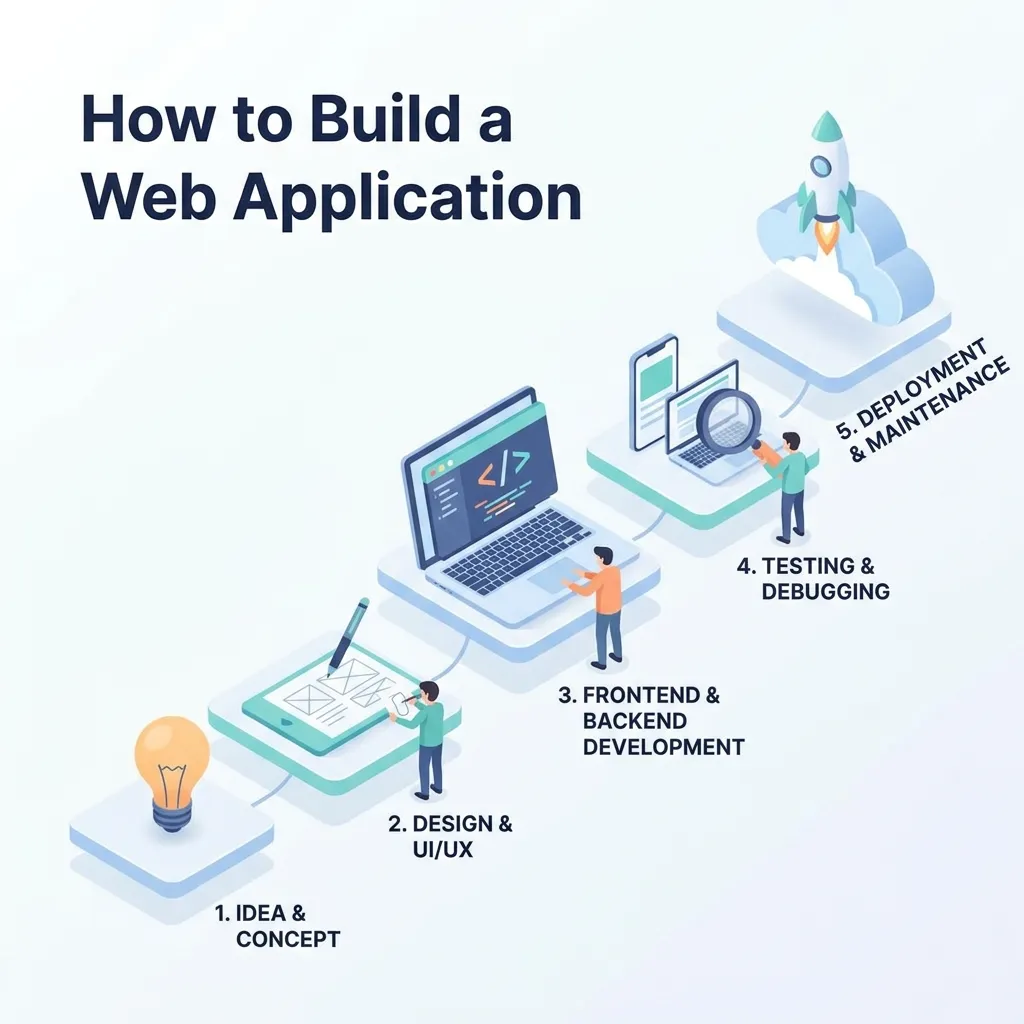
Building a web application involves far more than writing code — it requires clear planning, thoughtful architecture, the right technology choices, and a structured development process that carries the project from idea to a stable, secure, production-ready product. This guide walks through every stage of building a web application: defining requirements, choosing an architecture and tech stack, developing the frontend and backend, testing, securing, and deploying the finished product. Whether you’re building your first application or refining your team’s process, this guide covers the fundamentals every successful web app is built on.
A web application is fundamentally different from a static website — it’s interactive, often data-driven, and typically involves logic running on both the client and server to deliver a dynamic experience. Understanding this distinction matters from the very first planning conversation, since it shapes nearly every technical decision that follows. This comparison of web apps vs. websites is worth reviewing first if you’re still deciding which type of product actually fits your goals.
This guide walks through the complete process of building a web application, based on the structured approach covered in this web application development process guide, and expands into the specific decisions around architecture, technology, security, and deployment that determine whether a project succeeds or stalls out midway through development.
Step 1: Define the Problem and Requirements
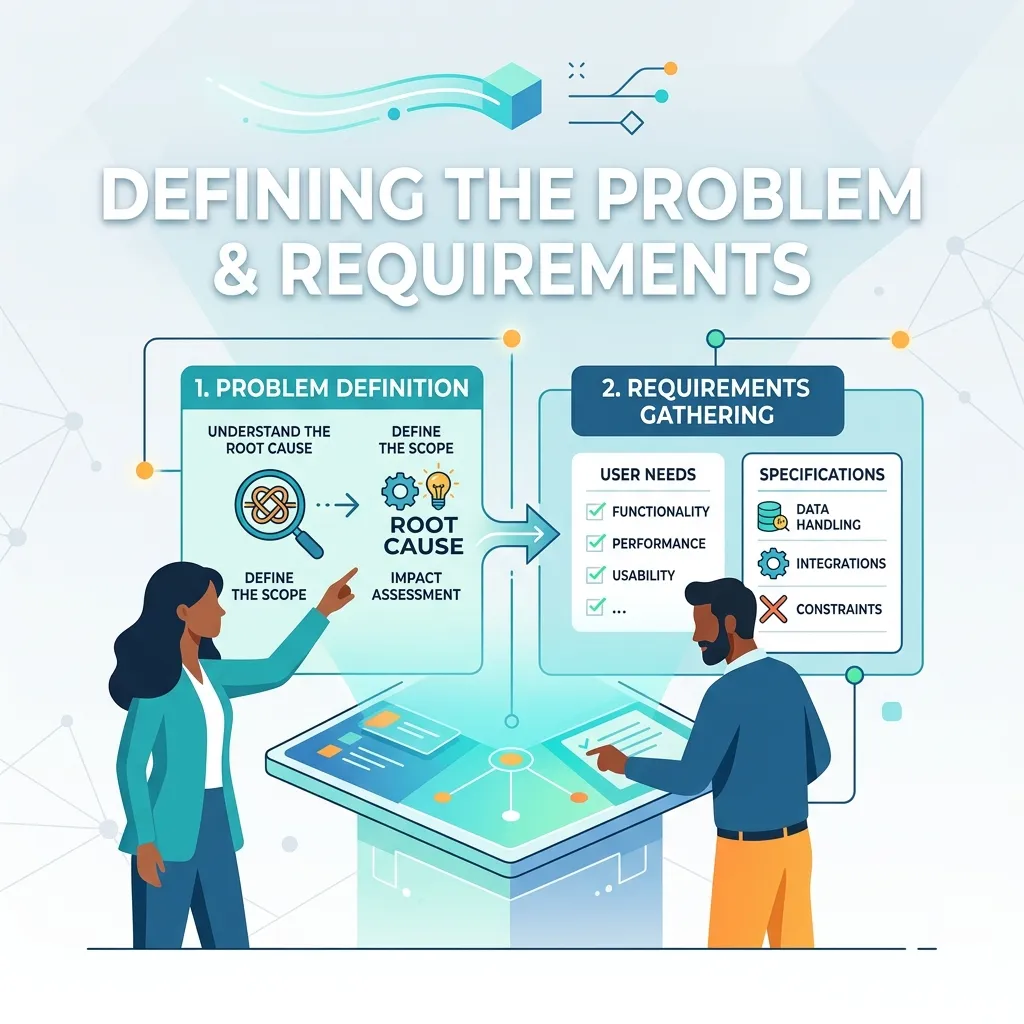
Before writing a single line of code, clearly define the problem your web application solves and who it’s for. Document core user flows, must-have features versus nice-to-haves, and any technical or business constraints — budget, timeline, compliance requirements — that will shape later decisions. Skipping this step is one of the most common reasons projects run over budget or ship features nobody actually needed.
Step 2: Choose Your Application Architecture
Application architecture determines how different parts of your system communicate and scale. Common approaches include a traditional monolithic structure, a microservices-based system where individual services handle specific functions independently, and increasingly popular patterns like micro-frontends for large, multi-team frontend codebases. This complete guide to web application architecture breaks down the tradeoffs between these approaches in detail, while this overview of micro-frontends for scalable web apps covers a specific pattern worth considering for larger, team-based projects.
Step 3: Choose Your Technology Stack
Frontend
The frontend handles everything the user sees and interacts with directly. Modern web applications commonly use JavaScript frameworks like React, which this beginner’s guide to React introduces clearly for developers new to component-based frontend development. Understanding the fundamentals of JavaScript itself is essential before diving into any specific framework, since frameworks are built on top of core language concepts you’ll need regardless of which one you choose.
Backend
The backend handles business logic, data processing, and communication with databases and external services. This backend development guide for beginners covers the core concepts — servers, APIs, databases — that underpin nearly every backend technology choice available today.
Full-Stack Considerations
Many teams need developers or a combined skill set covering both frontend and backend work. This complete guide to full-stack development explains how full-stack skills fit into a typical web application project, particularly for smaller teams that can’t afford separate frontend and backend specialists for every project.
Modern Architecture Patterns
Beyond traditional client-server setups, patterns like Jamstack and serverless architecture have become popular for specific use cases, offering strong performance and reduced infrastructure management overhead. This guide to Jamstack for scalable, high-performance websites and this overview of serverless web development cover when these newer patterns make sense compared to a traditional server-based approach.
Step 4: Design the Database and Data Model
Most web applications rely on a database to store and retrieve information — user accounts, content, transactions, and application state. Decide early whether a relational database or a NoSQL solution better fits your data structure and access patterns, since retrofitting a fundamentally different database architecture later in development is often costly and disruptive.
Step 5: Build the Application
Set Up Development Environment and Version Control
Establish a consistent development environment across your team and use version control from the very first commit, ensuring changes are tracked and reversible throughout the project.
Develop Core Features First
Build and test the most essential user flows before adding secondary features, allowing you to validate the core concept works technically and meets user needs before investing further development time.
Follow Modern Frontend Design Practices
User experience directly affects adoption and retention. This guide to user-centric web design covers principles worth applying throughout frontend development, not just at the visual design stage.
Consider Progressive Web App Capabilities
Depending on your use case, building your application as a progressive web app can provide app-like functionality — offline access, push notifications, home screen installation — without requiring a separate native mobile app. This comprehensive guide to progressive web apps covers when this approach makes sense compared to a traditional web application or dedicated mobile app.
Step 6: Prioritize Security Throughout Development
Security should be built into a web application from the start, not addressed as an afterthought before launch. Common priorities include secure authentication, input validation to prevent injection attacks, proper session management, and encrypted data transmission. This complete guide to web application security and this practical resource on securing web applications cover the specific vulnerabilities and defenses every development team should understand before shipping to production.
Step 7: Optimize for Performance
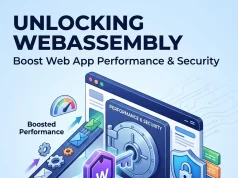
A slow web application frustrates users and can directly hurt conversion and retention. Performance optimization should address both frontend rendering speed and backend response times. This web application performance guide covers the core techniques, while this resource on boosting web app performance with WebAssembly explores a more advanced option for computationally intensive applications that need near-native execution speed in the browser.
Step 8: Test Thoroughly Before Launch
Testing should cover functional correctness, security vulnerabilities, performance under load, and accessibility. This guide to website accessibility and inclusive design is especially important to review before launch, since accessibility issues are often much harder and more expensive to retrofit after a product has shipped than to address during initial development.
Step 9: Deploy and Monitor
Once testing is complete, deploy the application to production and establish ongoing monitoring for errors, performance issues, and security threats. Deployment strategy varies significantly depending on your chosen architecture, with serverless and Jamstack approaches often offering simpler deployment pipelines than traditional server-based applications.
Step 10: Plan for Ongoing Maintenance
A web application isn’t finished at launch — it requires ongoing updates, security patches, and feature iteration based on real user feedback and usage data. Building this ongoing maintenance capacity into your team’s planning from the start avoids the common trap of treating launch as the finish line rather than the beginning of the product’s actual lifecycle.
Estimating Web Application Development Cost
Development cost varies enormously based on complexity, team composition, and technology choices. This complete guide to web application development cost breaks down the major cost drivers — from custom feature development to third-party integrations — helping teams budget more accurately before committing to a full development plan. For organizations debating whether to build with an in-house team or outsource, this guide to custom web application development covers how that decision typically affects overall project cost and timeline.
Web Applications vs. Mobile Applications
Many products need to decide between building a web application, a native mobile app, or both. This comparison of mobile vs. web application development covers the tradeoffs in reach, development cost, and user experience that should inform this decision early in the planning process, since switching platforms significantly later in development often requires substantial rework.
Where Web Development Meets Broader Digital Strategy
Building a web application rarely happens in isolation from a company’s broader marketing and growth strategy. This comparison of digital marketing vs. web development clarifies how the two disciplines connect, particularly for teams where the same product needs to support both a strong technical foundation and effective customer acquisition. Understanding foundational concepts like website layout and design elements is also useful context for frontend teams working closely with marketing stakeholders on user-facing pages within the broader application.
Build vs. Low-Code and No-Code Platforms
Not every project requires a fully custom-built application from scratch. Low-code and no-code platforms have matured significantly and can be a reasonable choice for simpler internal tools, MVPs, or applications with relatively standard functionality that doesn’t require deep customization. These platforms trade some flexibility and long-term scalability for significantly faster initial development and lower upfront cost.
The tradeoff becomes more important as an application grows in complexity or needs to integrate deeply with existing systems. Custom-built applications generally offer more control over performance, security, and architecture decisions, which matters more for products expected to scale significantly or handle sensitive data. Teams evaluating this decision should weigh time-to-market against long-term flexibility, since migrating off a low-code platform later, once an application has grown complex, can be considerably more disruptive than choosing a custom build from the outset if scale was always the likely outcome.
Common Mistakes When Building a Web Application

- Skipping proper planning and requirements gathering. Jumping straight into development without a clear scope often leads to scope creep and wasted effort on features nobody needed.
- Choosing a tech stack based on trends rather than project needs. The most popular framework isn’t always the right fit for your specific application’s requirements and team skill set.
- Treating security as a final step rather than an ongoing priority. Retrofitting security into a nearly finished application is far more difficult than building it in from the start.
- Neglecting performance until users complain. Performance issues compound over time and become significantly harder to fix once deeply embedded in the application’s architecture.
- Underestimating ongoing maintenance needs. Many teams plan extensively for launch but fail to budget time and resources for the post-launch maintenance every application requires.
- Ignoring accessibility. Building an application that excludes users with disabilities not only limits your audience but can also create legal and reputational risk.
Conclusion
Building a web application successfully requires far more than technical skill alone — it demands clear planning, deliberate architecture decisions, a thoughtfully chosen technology stack, and a development process that treats security, performance, and accessibility as core priorities rather than afterthoughts. Start with a clearly defined problem and set of requirements, choose an architecture and tech stack suited to your specific needs rather than following trends, and build in testing, security, and performance considerations from the earliest stages of development. Treat launch as the beginning of the application’s lifecycle rather than the finish line, and plan for the ongoing maintenance and iteration every successful web application requires long after the initial release.
Frequently Asked Questions About Customer Advocacy and Brand Advocacy
1. What’s the main difference between customer advocacy and brand advocacy?
Customer advocacy focuses on customers promoting a product or service based on their personal experiences. Brand advocacy is broader and can include employees, partners, and community members who actively support the company’s mission, values, and identity.
2. Can someone be a brand advocate without being a customer?
Yes. A person does not always need to purchase a product to support a company. Employees, industry partners, community members, and engaged followers can become advocates when they genuinely believe in what the business represents.
3. Is employee advocacy part of brand advocacy?
Yes, employee advocacy is an important part of the broader strategy. Employees who understand and believe in the company’s mission can share its content, values, and achievements with their professional and personal networks, often adding significant credibility.
4. How do you measure customer advocacy?
Common metrics include referral volume, Net Promoter Score (NPS), case study participation, customer reviews, and the conversion rate of referred leads. These measurements help businesses understand how effectively satisfied customers are influencing potential buyers.
5. How do you measure brand advocacy?
Broader indicators can include social share of voice, audience sentiment, employee participation, social engagement, brand mentions, and unaided brand awareness. Together, these metrics show how strongly people recognize and support the company.
6. Is a loyalty program the same as an advocacy program?
No. A loyalty program mainly encourages repeat purchases or continued engagement through rewards and incentives. An advocacy program focuses on encouraging satisfied customers or supporters to actively recommend, share, review, or promote the brand.
7. How is brand advocacy different from affiliate marketing?
Affiliate marketing usually involves a formal partnership where individuals receive compensation for generating sales or referrals. Genuine advocacy is generally driven by personal belief, trust, and enthusiasm rather than direct payment for every recommendation.
8. Should a company invest in both customer and brand advocacy?
Yes. Each approach supports different business goals. Customer-focused efforts can generate referrals, testimonials, and social proof, while broader initiatives can strengthen awareness, reputation, and long-term relationships with different audiences.
9. What’s the risk of over-rewarding advocacy behavior?
Offering excessive rewards can make recommendations appear financially motivated rather than genuine. When audiences believe someone is promoting a company mainly for compensation, the trust and credibility behind the recommendation may decrease.
10. How do you find brand advocates who aren’t current customers?
Look beyond your existing customer base. Industry partners, community members, employees, social media followers, and people who regularly engage positively with your content or mission can all become potential advocates.
11. Does community building support advocacy efforts?
Yes. Strong communities create an environment where people can connect around shared interests, values, and experiences. When members feel a sense of belonging, they are more likely to voluntarily discuss, recommend, and support the company.
12. What’s the biggest mistake companies make when building advocacy programs?
One of the biggest mistakes is treating customer advocacy and brand advocacy as the same thing. Different groups have different motivations and relationships with a company, so using identical messaging and tactics may reduce the effectiveness of both programs.
For a deeper foundation before starting your project, see our complete guide to web application development, or explore how to develop a web app for an additional step-by-step walkthrough.