A web application that hasn’t been thoroughly tested is a liability waiting to surface at the worst possible moment — a broken checkout flow, a security vulnerability, or a page that fails to load properly for users with disabilities. Web application testing is the systematic process of verifying that an application works correctly, performs well, stays secure, and remains accessible before and after it reaches real users. This guide covers the core types of web application testing, how to build a testing process into your development workflow, the tools worth using, and the mistakes that quietly let bugs slip through to production.
Testing is often treated as the final gate before launch, but the most effective web application testing strategies build verification into every stage of development rather than saving it all for the end. Catching a bug during development costs a fraction of what it costs to fix the same issue after it’s shipped to production and already affecting real users. This guide walks through the full landscape of web application testing, building on the structured approach from this web application development process guide, and showing exactly where testing fits at each stage of building a reliable, production-ready application. Whether you’re setting up a testing strategy for the first time or trying to figure out why bugs keep slipping through to production, the framework below covers the categories of testing that matter most and how to weave them into a process your team can realistically sustain.
Why Web Application Testing Matters
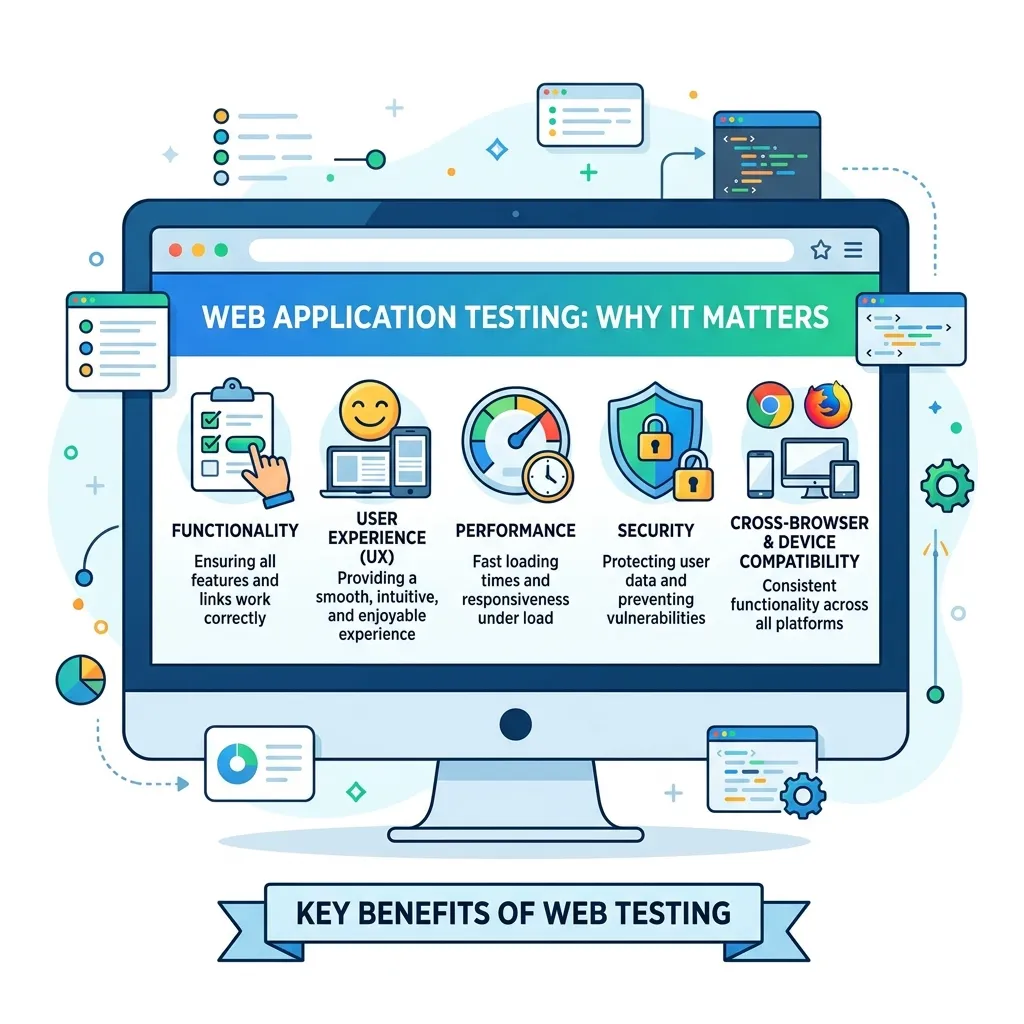
- Prevents costly production incidents. Bugs caught during development are dramatically cheaper to fix than those discovered after users encounter them.
- Protects against security breaches. Untested applications are far more likely to ship with exploitable vulnerabilities that can compromise user data or system integrity.
- Ensures consistent performance under real conditions. An application that works fine in development can behave very differently under real-world traffic and data volume.
- Supports legal and ethical accessibility obligations. Untested accessibility can exclude users with disabilities and create genuine legal risk in many jurisdictions.
- Builds user trust. A reliable, bug-free experience directly affects whether users stay engaged with an application or abandon it after a frustrating first impression.
Core Types of Web Application Testing
1. Functional Testing
Functional testing verifies that each feature works as intended — forms submit correctly, buttons trigger the right actions, and data flows properly between the frontend and backend. This is typically the foundation of any testing strategy, since a functionally broken application undermines every other quality effort.
2. Usability Testing
Usability testing evaluates whether real users can accomplish their goals intuitively, often through direct observation of test users interacting with the application. This type of testing frequently surfaces friction points that automated testing can’t detect, since it captures genuine human confusion or hesitation.
3. Performance Testing
Performance testing measures how an application behaves under various levels of load, including response times, resource usage, and stability during traffic spikes. This complete guide to web application performance covers the metrics and techniques central to this type of testing, while reviewing Core Web Vitals best practices helps ensure performance testing aligns with the metrics that also affect search rankings and user experience.
4. Security Testing
Security testing identifies vulnerabilities like injection flaws, broken authentication, and insecure data handling before they can be exploited. This complete guide to web application security and this practical resource on securing web applications cover the specific vulnerability categories that security testing should systematically check for.
5. Accessibility Testing
Accessibility testing verifies that an application can be used by people with disabilities, including those relying on screen readers, keyboard navigation, or other assistive technology. This guide to performing a website accessibility audit and this broader resource on web accessibility for developers cover the specific checks and standards, such as WCAG compliance, that accessibility testing should evaluate against.
6. Compatibility Testing
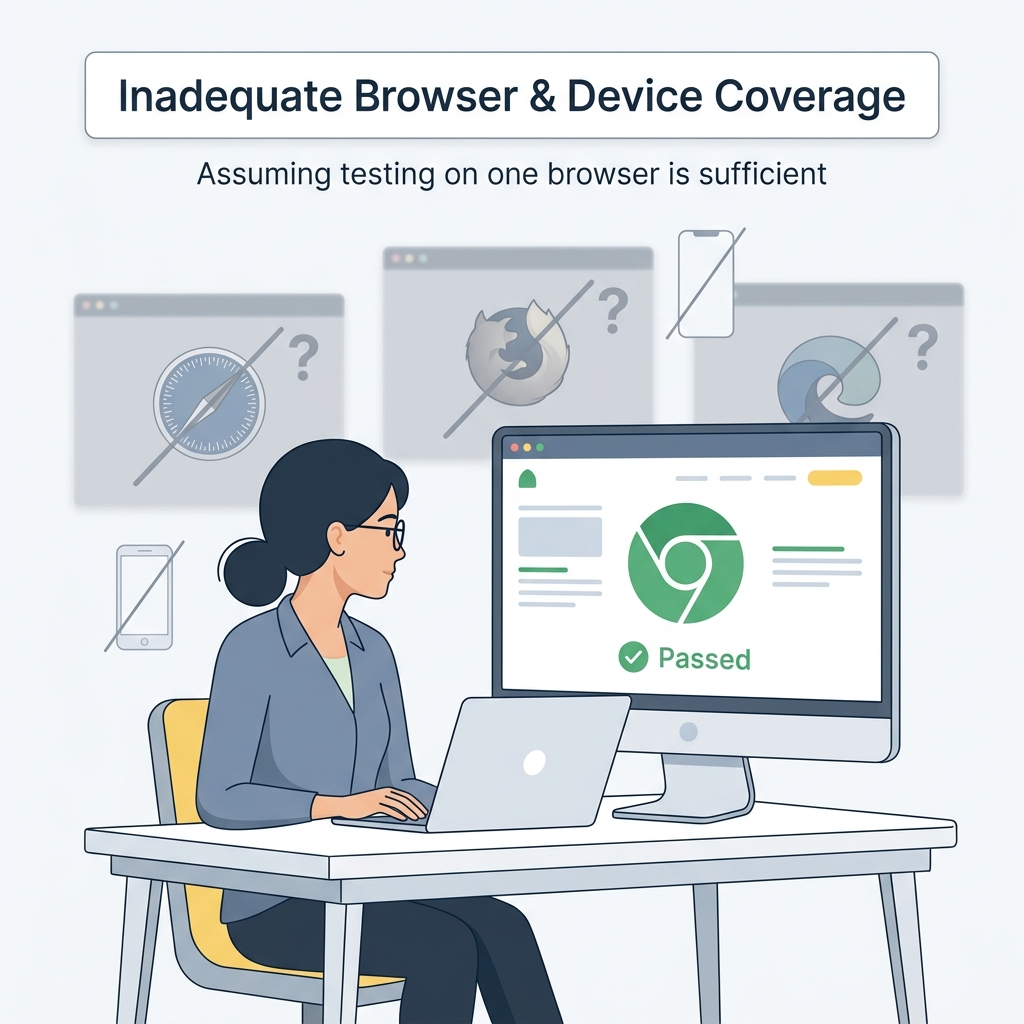
Compatibility testing confirms an application behaves consistently across different browsers, devices, and screen sizes, since inconsistent rendering or broken functionality on specific platforms can quietly exclude a significant portion of your user base.
7. Regression Testing
Regression testing verifies that new code changes haven’t broken existing functionality, which becomes increasingly important as an application grows in complexity and the risk of unintended side effects from new features increases.
8. API Testing
For applications with a distinct backend and frontend, API testing verifies that endpoints return correct data, handle errors appropriately, and respond within acceptable time limits, independent of how the frontend consumes that data.
Building a Web Application Testing Process
Step 1: Define a Testing Strategy Early
Decide which types of testing your project requires and at what stage of development each should occur, rather than treating testing as a single phase that happens right before launch. This decision should connect directly back to your chosen application architecture, since architectural choices significantly influence which testing approaches are practical and where potential failure points are most likely to occur.
Step 2: Write Automated Tests Alongside Development
Unit tests, integration tests, and automated end-to-end tests should be written as features are built, not added retroactively once development is considered complete. This approach catches regressions immediately rather than allowing them to accumulate silently over time.
Step 3: Incorporate Manual Testing Where It Adds the Most Value
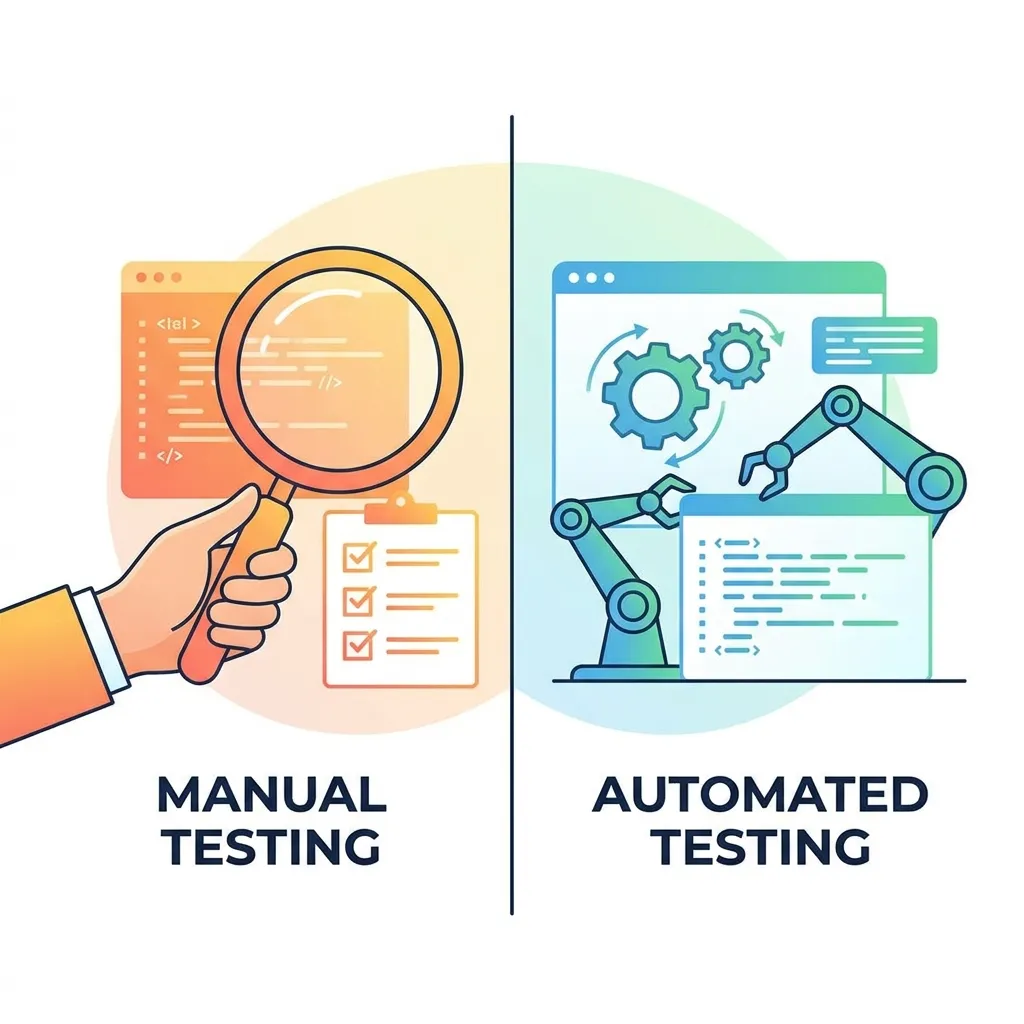
Automated testing can’t fully replace human judgment, particularly for usability and edge-case scenarios that are difficult to predict or script in advance. Reserve manual testing effort for these higher-judgment areas rather than duplicating what automation already covers efficiently.
Step 4: Test Performance Under Realistic Conditions
Simulate real-world traffic patterns and data volumes rather than testing only with small, clean datasets that don’t reflect actual production conditions. This web performance optimization techniques guide covers additional context on the specific conditions worth testing against.
Step 5: Run Security Testing Continuously, Not Just Pre-Launch
New vulnerabilities emerge as dependencies update and code changes accumulate, so security testing should be an ongoing practice built into your development pipeline rather than a one-time pre-launch checklist.
Step 6: Include Accessibility Checks in Every Development Cycle
Rather than auditing accessibility only before major releases, integrate accessibility checks into regular development cycles so issues are caught and fixed incrementally. This guide to mastering web accessibility and inclusive design covers how to build this practice into an ongoing workflow rather than a periodic audit.
Step 7: Monitor Production Continuously After Launch
Testing doesn’t end at deployment. Ongoing monitoring for errors, performance degradation, and security issues in production catches problems that pre-launch testing inevitably misses, since real-world usage patterns often differ from what was anticipated during development.
Testing Different Architecture Patterns
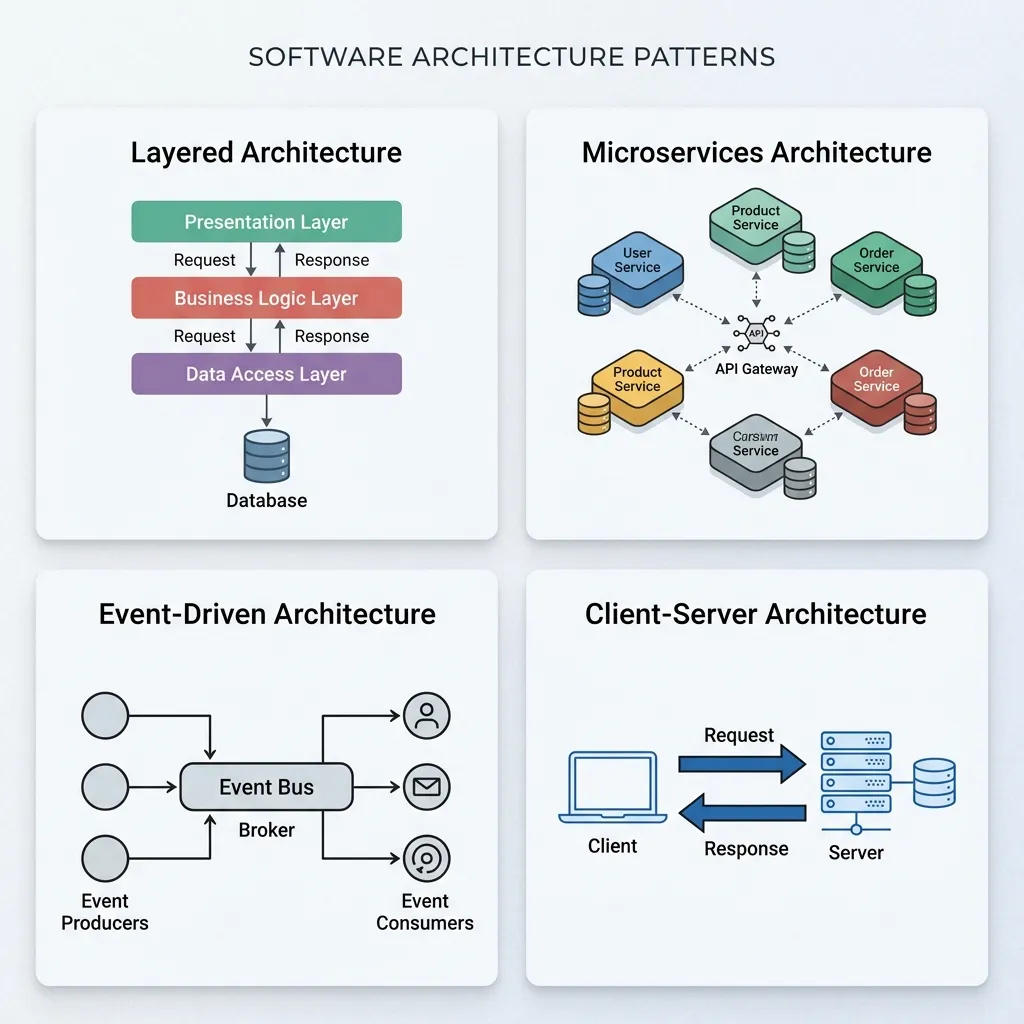
The right testing approach can vary depending on your application’s underlying architecture. Applications built with micro-frontends require testing strategies that account for how independently deployed frontend components interact with each other, not just how each component functions in isolation. Similarly, serverless applications introduce unique testing considerations around cold-start behavior and function-level isolation that differ meaningfully from testing a traditional monolithic backend.
Common Web Application Testing Tools and Approaches
- Unit testing frameworks to verify individual functions and components in isolation.
- End-to-end testing tools that simulate real user flows across the entire application.
- Load testing tools to evaluate performance under simulated traffic spikes.
- Security scanning tools that automatically check for common vulnerability patterns.
- Accessibility scanning tools that flag WCAG compliance issues, though these should be paired with manual testing since automated scans can’t catch every accessibility barrier.
Why Testing Quality Affects More Than Just Engineering
Web application testing is often treated as a purely technical concern owned entirely by engineering, but its impact extends well beyond the development team. Performance issues surfaced through testing directly affect metrics like Core Web Vitals, which influence search rankings and organic visibility — meaning a weak testing process can quietly undermine marketing efforts that have nothing to do with code quality on the surface. Similarly, accessibility gaps that go untested can shrink the addressable audience for marketing campaigns, since users relying on assistive technology may be unable to complete signup flows or checkout processes that marketing has spent significant budget driving traffic toward.
This overlap is one of several reasons closer collaboration between development and marketing teams tends to produce better outcomes than treating the two as entirely separate functions. Reviewing how digital marketing and web development intersect can help both teams understand where testing priorities — particularly around performance and accessibility — directly support broader business goals rather than existing purely as an engineering checklist disconnected from what marketing and growth teams are trying to achieve. Even foundational decisions like website layout and structure benefit from this cross-functional lens, since layout choices tested for usability and performance often have downstream effects on conversion rates that marketing teams care about deeply.
Testing and Development Cost
Skipping proper testing often feels like a way to save time and budget, but it typically shifts cost later in the project rather than eliminating it — bugs caught in production are dramatically more expensive to fix than those caught during development. This guide to web application development cost is worth reviewing alongside your testing strategy, since a realistic project budget should account for testing effort as a core line item rather than an afterthought squeezed in at the end.
Common Mistakes in Web Application Testing
- Treating testing as a final pre-launch phase. Waiting until development is “done” to start testing makes it far more expensive and disruptive to fix issues that are discovered.
- Relying entirely on automated testing. Automation is essential but can’t fully replace manual usability and exploratory testing for catching real-world usage issues.
- Testing only with clean, ideal data. Real users generate messy, unexpected input that clean test data often fails to represent, hiding bugs until production.
- Skipping accessibility testing. Accessibility issues are frequently deprioritized despite being both a usability and legal concern once an application reaches real users.
- Ignoring performance testing until traffic grows. Waiting for real users to reveal performance problems is a costly and reputation-damaging way to discover scaling issues.
- Not retesting after fixes. A bug fix can introduce new issues elsewhere in the application, making regression testing essential even after a specific problem appears resolved.
Conclusion
Web application testing isn’t a single checkpoint before launch — it’s a continuous discipline woven throughout development, deployment, and beyond. Functional, performance, security, and accessibility testing each address a different risk, and skipping any one of them leaves a genuine gap that will eventually surface, usually at a worse time and higher cost than if it had been caught earlier. Build testing into your process from the first line of code rather than treating it as a final gate, automate what can reasonably be automated, and reserve manual attention for the usability and edge-case scenarios where human judgment matters most. The result is an application that holds up under real-world conditions instead of one that only worked in a clean development environment — and one whose quality shows up not just in fewer bug reports, but in stronger performance metrics and a more inclusive experience for every user who reaches it.
Frequently Asked Questions About Web Application Testing
1. What is web application testing?
Web application testing is the systematic process of verifying that an application works correctly, performs reliably, remains secure, and provides a usable experience before and after release.
2. What are the main types of web application testing?
The main types include functional, usability, performance, security, accessibility, compatibility, regression, and API testing. Each type evaluates a different aspect of the application to identify potential problems.
3. Should testing happen before or during development?
Testing should take place throughout the development process rather than only at the end. Identifying and fixing issues early is usually less expensive and less disruptive than resolving them after the application has been launched.
4. What’s the difference between manual and automated testing?
Automated testing is useful for repeatedly checking predictable functionality and identifying regressions quickly. Manual testing is more suitable for usability evaluation, exploratory testing, and unusual scenarios that may be difficult to automate effectively.
5. Why is accessibility testing important for web applications?
Accessibility testing helps ensure that people with disabilities can effectively use an application. It improves usability and can also help organizations meet accessibility standards and legal requirements in applicable jurisdictions.
6. How often should security testing be performed?
Security testing should be an ongoing part of the development and maintenance process. Regular checks are important because new vulnerabilities can appear as application code, third-party libraries, frameworks, and dependencies change.
7. What is regression testing?
Regression testing checks whether recent code changes, updates, or new features have unintentionally affected existing functionality. It becomes increasingly important as an application grows and includes more interconnected features.
8. Does testing strategy change based on application architecture?
Yes. Different architectures can introduce different testing requirements. For example, micro-frontends, serverless systems, and distributed applications may require specialized approaches compared with a traditional monolithic architecture.
9. What tools are commonly used for web application testing?
Common testing tools include unit testing frameworks, end-to-end testing platforms, load and performance testing tools, automated security scanners, and accessibility testing solutions. The right tools depend on the application’s technology and testing goals.
10. Can automated accessibility scans replace manual accessibility testing?
No. Automated scanners can identify many common accessibility problems, but they cannot detect every barrier a user may encounter. Manual testing remains important for evaluating real-world usability and more complex accessibility issues.
11. How does skipping testing affect project cost?
Skipping testing can increase long-term project costs because unresolved bugs may reach production and become more expensive to diagnose and fix. Early testing helps reduce rework, downtime, and potential damage to user trust.
12. What’s the biggest mistake teams make with web application testing?
One of the biggest mistakes is treating testing as a final stage before launch. Effective teams integrate testing throughout development and continue monitoring, testing, and improving the application after release.
For a deeper foundation on the development process testing fits into, see our web application development process guide, or explore our complete guide to web application security to strengthen your testing coverage.