
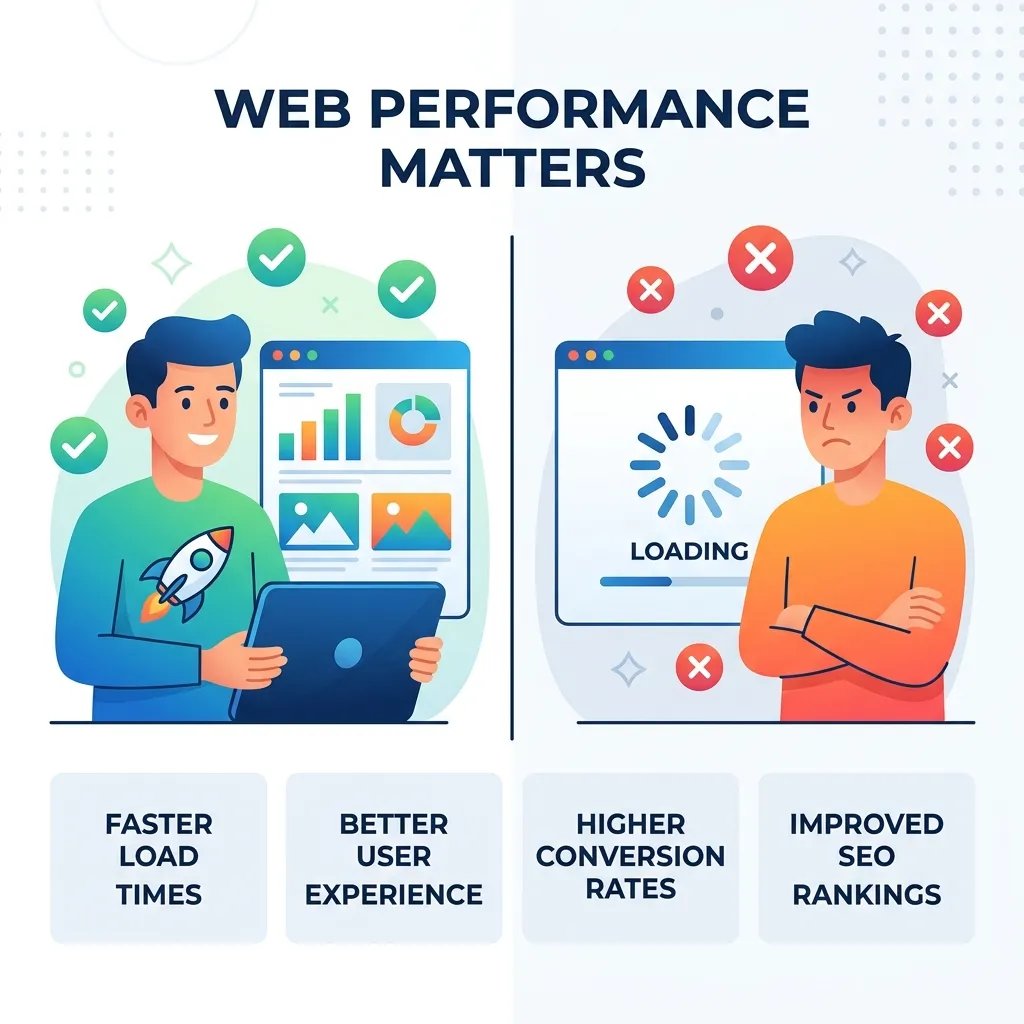
Web application performance determines how quickly, smoothly, and reliably a web application responds to users. Strong performance improves user experience, engagement, conversions, scalability, and operational efficiency. This complete guide explains the major factors affecting web application performance, including frontend optimization, backend efficiency, APIs, databases, caching, hosting, architecture, Core Web Vitals, monitoring, testing, and advanced optimization techniques.
A web application can have excellent features and an attractive interface, but if it responds slowly, users may still leave. Modern users expect applications to load quickly, respond smoothly to interactions, and remain reliable even when traffic increases.
This applies to almost every type of web application. E-commerce platforms need fast product searches and checkout processes. SaaS applications require responsive dashboards. Financial platforms need efficient transaction processing. Booking systems must return availability quickly. Business applications need to help employees complete tasks without unnecessary waiting.
This makes web application performance an important part of both development and business strategy.
Performance is not determined by a single factor. Frontend JavaScript, images, APIs, backend processing, database queries, hosting infrastructure, caching, third-party services, and application architecture can all affect the final user experience.
A strong performance strategy therefore evaluates the entire application stack. Instead of simply trying to make a page load faster, developers need to identify where time is being spent and optimize the areas that create the greatest impact.
What Is Web Application Performance?
Web application performance refers to how efficiently and quickly a web application loads, processes requests, responds to interactions, and delivers functionality.
It includes more than traditional page-load speed. A high-performing application should respond efficiently throughout the user’s journey.
For example, a customer may open an online store, search for a product, filter results, open a product page, add an item to a cart, enter payment information, and complete checkout. Each action may involve frontend rendering, JavaScript execution, API requests, database queries, authentication, and third-party services.
If any of these components becomes a bottleneck, the overall experience can suffer.
Web application performance therefore includes several connected areas:
- Frontend rendering
- Backend processing
- API response time
- Database performance
- Network delivery
- Caching
- Hosting infrastructure
- Resource optimization
- Scalability
- Monitoring and testing
The most effective performance strategy considers these areas together.
Why Web Application Performance Matters

Better User Experience
Users expect an application to respond naturally to their actions. When a button takes several seconds to respond or a page repeatedly displays a loading indicator, the experience becomes frustrating.
A responsive application makes navigation, searching, form submission, purchasing, and other tasks feel predictable. This can increase user satisfaction and reduce friction throughout the customer journey.
Higher Conversion Potential
Performance can influence whether users complete important actions.
For example, an e-commerce business may successfully attract visitors through advertising and SEO, but slow product pages or checkout processes can prevent those visitors from becoming customers.
Similarly, a SaaS company may generate leads successfully but lose potential customers if its registration or onboarding experience is unnecessarily slow.
Performance optimization can therefore support broader conversion optimization efforts.
Better Scalability
An application that works well for a small number of users may struggle as traffic increases.
Efficient code, optimized queries, caching, load balancing, and scalable infrastructure can help applications handle increasing workloads without a proportional increase in resource consumption.
Lower Infrastructure Costs
Poorly optimized applications can consume unnecessary CPU, memory, storage, database resources, and bandwidth.
Improving application efficiency can reduce resource requirements and potentially lower infrastructure costs while maintaining or improving the user experience.
Key Factors That Affect Web Application Performance
Frontend Code
The browser must download, parse, compile, and execute HTML, CSS, and JavaScript.
Large JavaScript bundles, unnecessary dependencies, excessive animations, and inefficient rendering logic can increase browser workload.
Techniques such as code splitting, lazy loading, tree shaking, and dependency optimization can reduce unnecessary processing.
The objective is not to eliminate JavaScript. Instead, developers should ensure that users receive only the code required for the current experience.
Images and Static Assets
Large images can consume substantial bandwidth and increase loading times, especially on mobile devices.
Images should be properly resized and compressed. Modern formats such as WebP and AVIF can reduce file sizes while maintaining good visual quality.
Fonts, CSS files, videos, icons, and other assets should also be reviewed because every additional resource can contribute to network and browser workload.
Backend Processing
The backend is responsible for processing requests, applying business logic, communicating with databases, and interacting with external services.
Slow backend operations can increase response times even when the frontend is highly optimized.
Efficient algorithms, database queries, caching, asynchronous processing, and appropriate server resources can all improve backend performance.
Database Operations
Database queries can become major bottlenecks as applications grow.
A query that works well with a small dataset may become significantly slower when millions of records are involved. Poor indexes, inefficient joins, repeated queries, and unnecessary data retrieval can increase response time.
Developers should analyze slow queries and optimize database operations based on real application usage.
Network Conditions
Users may access an application from different geographic locations and network conditions.
Latency, bandwidth limitations, packet loss, and large resource sizes can affect the experience.
Compression, caching, CDNs, optimized assets, and efficient request patterns can help reduce network-related delays.
Third-Party Services
Modern applications often use analytics platforms, payment gateways, chat widgets, advertising systems, authentication providers, maps, and other external services.
Each dependency can introduce additional requests and potential performance risks.
Third-party services should therefore be reviewed regularly. Nonessential scripts should not unnecessarily block critical application functionality.
Web Application Performance and Architecture
Application architecture has a significant influence on long-term performance.
Before optimizing individual components, developers should understand how the application’s architecture handles requests, data, users, and workloads.
Your existing Web Application Architecture: A Complete Guide can provide additional context when evaluating architectural decisions.
Monolithic Architecture
A monolithic application keeps major functionality within one deployable system.
For small and medium-sized applications, a well-structured monolith can provide excellent performance because components can communicate without additional network requests between independent services.
Problems can emerge when the application becomes excessively large or individual components require independent scaling.
Microservices Architecture
Microservices divide an application into independently deployable services.
This can improve flexibility and allow individual components to scale independently. However, communication between services introduces network overhead and operational complexity.
Microservices should therefore be adopted when they solve a real architectural problem rather than simply because they are considered modern.
Serverless Architecture
Serverless platforms allow developers to execute backend functionality without managing traditional servers directly.
They can be useful for variable workloads, but cold starts, execution limits, service dependencies, and platform-specific constraints may affect performance.
The best architecture depends on workload, application requirements, team capabilities, and expected growth.
How to Improve Web Application Performance
Optimize Images and Resources
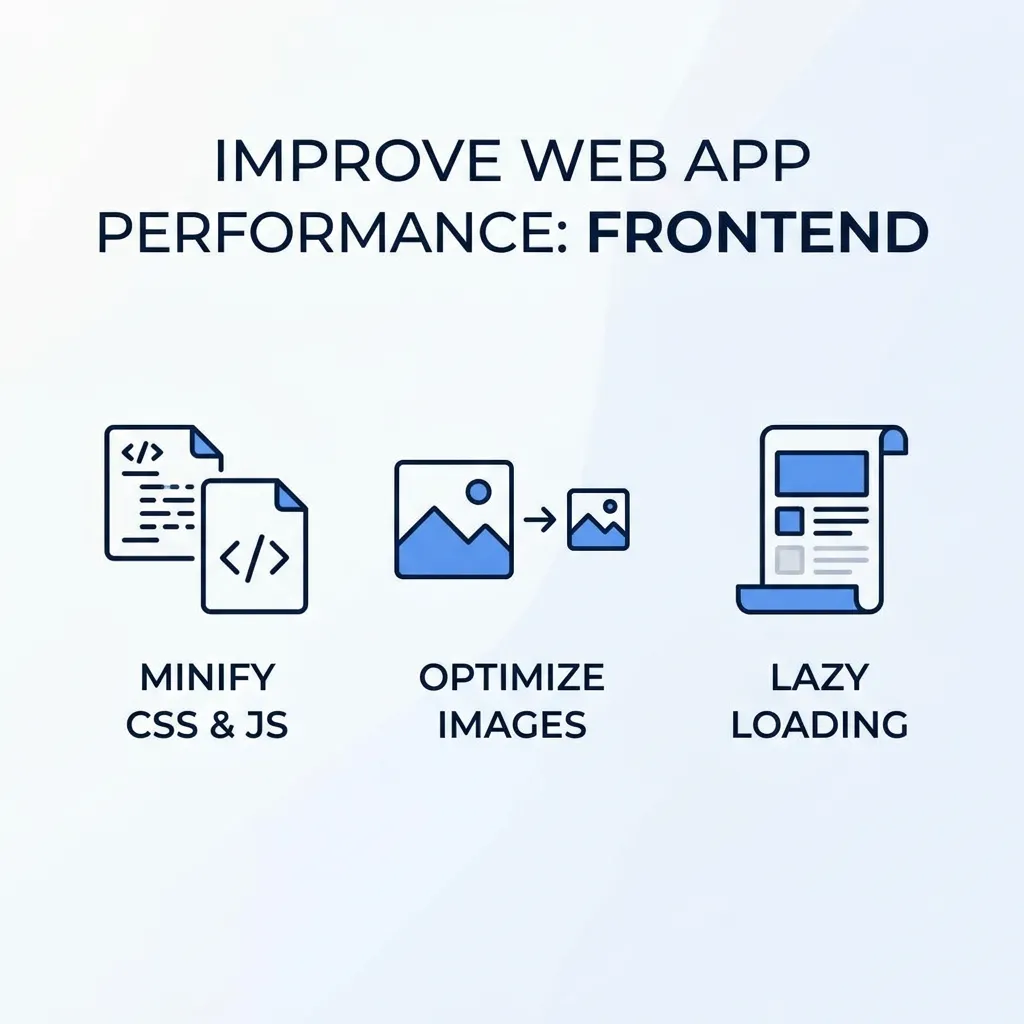
Images should be compressed, correctly sized, and delivered in suitable formats.
Lazy loading can prevent below-the-fold images from being downloaded before users need them.
Developers should also review CSS, JavaScript, font, and video resources to identify unnecessary files.
Reducing resource weight can improve loading performance and reduce bandwidth consumption.
Reduce JavaScript Execution
Large JavaScript applications can create significant browser workload.
Remove unnecessary dependencies and divide large bundles into smaller chunks. Load noncritical functionality only when it becomes necessary.
Developers should also consider execution time rather than focusing only on JavaScript file size. A small script can still cause performance problems if it performs expensive operations repeatedly.
Optimize API Requests
Web applications often depend heavily on APIs.
Unnecessary requests can increase both network traffic and backend processing. APIs should return the information the interface actually requires instead of unnecessarily large datasets.
Pagination, filtering, compression, caching, and efficient response structures can improve API performance.
Optimize Database Queries
Database optimization should be based on measurement.
Identify slow queries, inspect execution plans, create appropriate indexes, and avoid retrieving unnecessary data.
Frequently requested information can also be cached to reduce repeated database operations.
For larger applications, techniques such as read replicas, partitioning, database scaling, and specialized storage systems may become appropriate.
Implement Effective Caching
Caching allows frequently requested resources or data to be reused instead of regenerated repeatedly.
Browser caching can reduce repeated downloads. Server-side caching can reduce application processing. Database or application-level caching can reduce repetitive queries.
CDN caching can also improve static resource delivery.
Caching must, however, be implemented with a clear invalidation strategy. Incorrect caching can cause users to receive outdated information.
Web Application Performance and Core Web Vitals
Core Web Vitals provide useful measurements for evaluating important aspects of user experience.
Largest Contentful Paint
Largest Contentful Paint, or LCP, evaluates how quickly the largest significant visible content becomes available.
Large images, slow servers, render-blocking resources, and inefficient frontend code can negatively affect this metric.
Interaction to Next Paint
Interaction to Next Paint, or INP, evaluates how responsive a page is when users interact with it.
Long-running JavaScript tasks can prevent the browser from responding quickly. Reducing unnecessary main-thread work can therefore improve responsiveness.
Cumulative Layout Shift
Cumulative Layout Shift, or CLS, measures unexpected movement of page elements.
Images without defined dimensions, dynamically inserted content, and certain advertising elements can cause visual instability.
For a deeper optimization process, see the existing How to Improve Core Web Vitals: A Complete Guide.
The Role of Hosting in Web Application Performance
Hosting infrastructure can directly affect application speed, reliability, and scalability.
CPU, memory, storage, bandwidth, server location, network configuration, and scaling capabilities all influence performance.
A server located far from the majority of users may introduce additional latency. Limited server resources can also create bottlenecks during traffic spikes.
However, upgrading hosting is not always the correct solution. If an inefficient database query is responsible for the delay, additional server capacity may only hide the underlying problem temporarily.
For more information, explore How Web Hosting Affects Website Speed & Performance.
Content Delivery Networks and Web Applications
A Content Delivery Network distributes cached resources across multiple geographic locations.
When users request static resources, the CDN can often deliver them from a location closer to the user.
This can improve the delivery of images, JavaScript, CSS, fonts, videos, and other static files.
However, a CDN does not automatically solve backend performance problems. Dynamic requests that require database processing may still need to reach the origin application.
CDNs work best when combined with application-level optimization, efficient caching, and appropriate infrastructure.
Web Application Performance and Security
Performance and security should be treated as complementary parts of application engineering.
Authentication, encryption, access control, rate limiting, monitoring, and other security measures can introduce some processing overhead, but removing them simply to improve speed creates unnecessary risk.
Instead, developers should implement security mechanisms efficiently.
For example, efficient authentication systems, optimized security headers, appropriate caching strategies, and carefully designed API protection can help maintain both security and performance.
Your Web Application Security Complete Guide provides a deeper resource for understanding application security.
Performance Testing for Web Applications
Performance testing helps identify bottlenecks before they affect large numbers of users.
Load Testing
Load testing evaluates how an application performs under expected traffic levels.
For example, an online store can simulate hundreds or thousands of users browsing products, adding items to carts, and completing purchases.
Stress Testing
Stress testing pushes the application beyond normal operating conditions.
The goal is to identify breaking points and understand how the application behaves when resources become constrained.
Scalability Testing
Scalability testing evaluates whether an application can maintain acceptable performance as users, transactions, and data volumes increase.
This is particularly important for SaaS products, marketplaces, financial applications, and other systems expecting rapid growth.
Real-User Monitoring
Synthetic testing provides controlled results, but real users operate under different devices, browsers, network conditions, and geographic locations.
Real-user monitoring helps developers understand how applications actually perform in production.
Web Application Performance Monitoring
Performance optimization should not stop after deployment.
Continuous monitoring allows development teams to identify regressions, unexpected traffic patterns, server issues, API delays, and other problems.
Important measurements can include server response time, API latency, database execution time, error rates, resource sizes, traffic volume, and Core Web Vitals.
A structured Website Performance Benchmarking Guide can also help teams establish performance baselines and compare results over time.
Monitoring is especially important after major releases because a seemingly small feature can introduce performance problems elsewhere.
Performance Budgets
A performance budget establishes acceptable limits for important performance metrics.
For example, a team may define limits for JavaScript size, image weight, API response time, or Core Web Vitals.
Performance budgets help developers prevent gradual performance degradation.
Instead of discovering months later that an application has become significantly slower, teams can identify regressions during development and deployment.
This approach is particularly valuable for large applications with frequent releases.
Web Application Performance for Mobile Users
Mobile users may have slower networks, lower-powered devices, limited storage, or unstable connections.
An application that appears fast on a powerful desktop computer may perform poorly on a budget smartphone.
Developers should therefore test applications under realistic mobile conditions.
Responsive interfaces are also important because mobile users often interact with applications differently from desktop users.
Performance should be measured not only by technical loading time but also by how quickly users can complete meaningful tasks.
Web Application Performance and SEO
Performance can support the overall quality of a search-driven web experience.
Fast, stable pages make it easier for visitors to access information and interact with important functionality.
Performance becomes particularly valuable when an application relies on organic traffic. Businesses can invest heavily in SEO and content marketing, but slow pages may reduce the value of the traffic they generate.
For a broader perspective, see Optimize Website Performance: SEO Best Practices.
Advanced Web Application Performance Strategies
WebAssembly
WebAssembly can allow certain computationally intensive workloads to execute efficiently in the browser.
It may be useful for image processing, simulations, complex calculations, data visualization, and other workloads that require significant computation.
Your existing Boost Web App Performance With WebAssembly guide provides additional information about this approach.
Edge Computing
Edge computing moves certain processing closer to users.
This can reduce latency for geographically distributed applications when suitable workloads can be processed closer to the end user.
Asynchronous Processing
Not every operation needs to block a user request.
Tasks such as email delivery, report generation, notifications, analytics processing, and certain data operations can often be handled asynchronously.
This allows user-facing requests to complete faster while background workers process secondary tasks.
Web Application Performance and Scalability
Performance and scalability are related but different concepts.
Performance describes how efficiently an application handles a given workload. Scalability describes how effectively it maintains acceptable performance as that workload increases.
An application can be extremely fast for a small number of users but become unstable when traffic grows.
Scalable applications may require load balancing, caching, optimized databases, background queues, asynchronous processing, CDN infrastructure, or horizontal scaling.
The correct solution depends on the application’s architecture and workload.
How Website Layout Can Influence Performance
Design decisions can indirectly affect performance.
Complex layouts may require more JavaScript, images, animations, fonts, and interactive components. A visually attractive interface can therefore become unnecessarily heavy if every element requires additional resources.
The goal is not to create a minimal design at the expense of usability. Instead, designers and developers should balance visual quality with technical efficiency.
Your previous-site resource, What Is a Website Layout? Types, Elements, and Best Practices, provides additional context about layout structure, visual hierarchy, responsive design, and user experience.
Progressive Web Apps and Performance
Progressive Web Apps can provide app-like experiences through technologies such as service workers, caching, web app manifests, and background functionality.
Caching can allow frequently used resources to remain available even when network conditions are poor.
However, simply converting a website into a PWA does not automatically guarantee strong performance. The underlying application still needs optimized resources, efficient JavaScript, appropriate caching, and well-designed network behavior.
For additional context, see the previous-site resource Leveraging Progressive Web Apps to Elevate Your Mobile App Marketing Strategy.
Common Web Application Performance Mistakes
One of the biggest mistakes is optimizing without measuring.
Developers may assume that JavaScript is responsible for slow performance when the actual problem is a database query, API request, server configuration, or third-party service.
Another mistake is focusing only on desktop performance. Real users may access applications from older smartphones or slower connections.
Excessive third-party integrations are another common problem. Analytics, advertising, chat widgets, tracking tools, personalization platforms, and other scripts can gradually increase browser workload.
Teams may also treat performance optimization as a one-time project. Applications continuously change, and new features can introduce new bottlenecks.
Performance should therefore be treated as an ongoing responsibility.
A Practical Web Application Performance Optimization Process
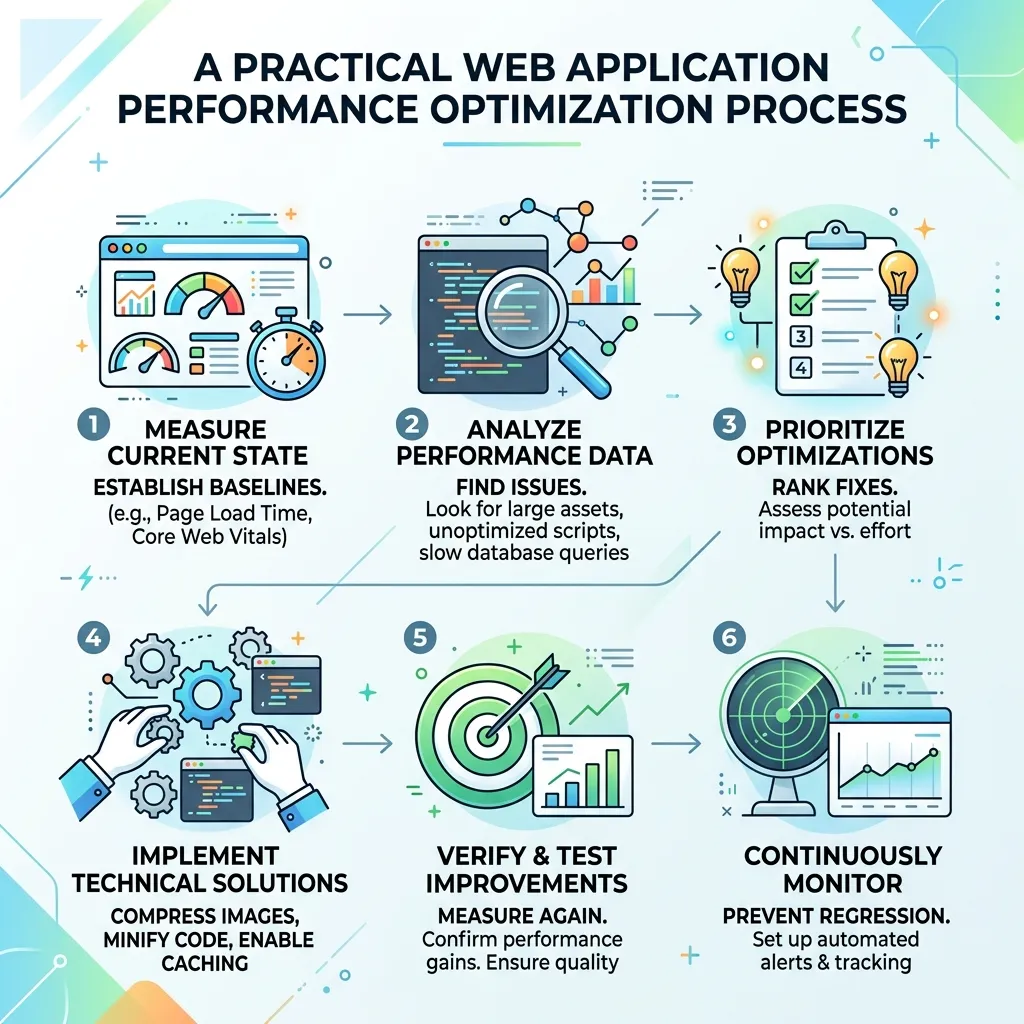
Step 1: Establish a Baseline
Measure the application’s current performance across important pages, APIs, databases, devices, and user journeys.
Step 2: Identify Bottlenecks
Determine whether the main problem comes from frontend code, backend processing, databases, APIs, network delivery, hosting, or external services.
Step 3: Prioritize High-Impact Problems
Focus first on issues that affect important user journeys or a large proportion of users.
Step 4: Implement Targeted Changes
Make focused improvements instead of changing multiple unrelated components at the same time.
Step 5: Measure Again
Compare results with the original baseline to determine whether the optimization produced a measurable improvement.
Step 6: Monitor Production
Continue monitoring after deployment to identify regressions and unexpected performance problems.
Step 7: Repeat
Performance optimization should follow a continuous cycle of measurement, diagnosis, improvement, and validation.
Web Application Performance Checklist
Before completing a performance optimization project, review the major parts of the application.
- Measure performance before making changes.
- Optimize large images and static assets.
- Reduce unnecessary JavaScript.
- Improve backend processing.
- Optimize database queries.
- Reduce unnecessary API requests.
- Implement suitable caching.
- Use a CDN where appropriate.
- Monitor Core Web Vitals.
- Test mobile and slower network conditions.
- Review third-party scripts.
- Perform load and stress testing.
- Establish performance budgets.
- Monitor real-user performance.
- Test after major deployments.
Conclusion
Web application performance is essential for creating fast, responsive, reliable, and scalable digital experiences.
It cannot be improved by focusing on page speed alone. Frontend code, backend logic, APIs, databases, hosting, caching, network delivery, architecture, security, and third-party services all contribute to the final user experience.
The most effective strategy begins with measurement. Establish a baseline, identify the largest bottlenecks, prioritize high-impact improvements, test the results, and monitor performance continuously.
Performance should also be part of the development lifecycle. As applications gain new features, integrations, users, and data, new bottlenecks can emerge.
By treating performance as an ongoing engineering priority, businesses can create web applications that are faster, more reliable, more scalable, and better equipped to support long-term growth.
Frequently Asked Questions
1. What is web application performance?
Web application performance refers to how quickly and efficiently a web application loads, processes requests, responds to interactions, and delivers functionality.
2. Why is web application performance important?
Strong performance improves user experience, engagement, conversions, reliability, scalability, and operational efficiency.
3. What causes poor web application performance?
Common causes include large assets, excessive JavaScript, inefficient database queries, slow APIs, inadequate hosting, poor caching, excessive third-party scripts, and inefficient architecture.
4. How can I improve web application performance?
Start by measuring current performance and identifying bottlenecks. Then optimize frontend resources, backend processing, APIs, databases, caching, hosting, and network delivery.
5. Does web application performance affect SEO?
Performance can contribute to a better page experience and support SEO through improved usability and user-focused performance metrics. However, SEO depends on many other factors.
6. What are Core Web Vitals?
Core Web Vitals are user-experience metrics focused on loading performance, interaction responsiveness, and visual stability. They include LCP, INP, and CLS.
7. Can caching improve web application performance?
Yes. Caching allows frequently requested resources or data to be reused, reducing repeated processing, database activity, and network transfers.
8. Can a CDN improve web application performance?
Yes. A CDN can deliver static resources from geographically distributed servers closer to users, reducing delivery latency.
9. How does database optimization improve performance?
Efficient queries, appropriate indexes, caching, connection management, and optimized data retrieval can reduce database processing time and improve application response times.
10. Is better hosting enough to solve performance problems?
No. Better hosting can help infrastructure limitations, but inefficient code, database queries, APIs, or frontend resources may still create bottlenecks.
11. How often should web application performance be tested?
Performance should be monitored continuously and tested more extensively before and after major deployments, architectural changes, traffic increases, and significant feature releases.
12. What is the best long-term strategy for web application performance?
The best approach combines continuous monitoring, regular performance testing, efficient development practices, optimized infrastructure, performance budgets, and early detection of regressions.







[…] levels of load, including response times, resource usage, and stability during traffic spikes. This complete guide to web application performance covers the metrics and techniques central to this type of testing, while reviewing Core Web Vitals […]
[…] dedicated tooling like batching and caching layers built specifically for GraphQL resolvers. Our guide to web application performance covers performance considerations that apply across both API architectures, since good performance […]